
je_saist
-
Posts
4197 -
Joined
-
Quote:I found it right in front of the billboard on 3 different characters so far.Originally Posted by HotFlash
 is not on the rooftop near the billboard as wiki and badge hunter state. are you all having trouble locating it on the rooftop ??? should I bug it. 3 different heroes went looking for it and it was not there. just need that badge for the new hollows accolade badge.
 -
right off hand, it's a problem with your Nvidia drivers. There's a possibility they are corrupted.
- Uninstall your existing Nvidia drivers
- Run Driver Sweeper: http://www.guru3d.com/category/driversweeper/
- Install New Nvidia drivers
-
hmm... according to here: http://developer.amd.com/drivers/ccc/Pages/default.aspx
Driver Version: 8.723.5.0 would be one of the Catalyst 10.4 drivers. What I'm uncertain of is whether or not it's 10.4 stable or one of the 10.4 preview drivers.
Can you drop back to Catalyst 10.1? -
-
Quote:There is no known list at this time... and if there was... it would quickly change. As most on the forums know, I'm active on the feedback to Transgaming for the Cedega engine. One of the features of the testing engine(s) is a verbose mode for the client that shows me a list of all commands executed by the game client. So, in some cases, I can see the connection IP address ... and I can also see connection attempts. I can also tell you that the IP address sets used to connect to the game world itself, is not the same IP address used to connect to the login server... and it's also possible for the IP address to change while you are in the game (I believe due to server load balancing).Originally Posted by Silencer7
I would like to set up QoS on my router to prioritize game traffic, but I can't figure out what IP(s) of the servers. Is there a list somewhere?
So, un-fortunately, what you want... you probably aren't going to get.
And no, I'm not sharing the IP addresses either as I'm not entirely sure if sharing the game ip addresses violates the subscriber agreement. I can think of several security related reasons the developers don't want the IP Address list to be common knowledge. -
Quote:Even then, the pop-up's just checking to see whether or not you have an OpenGL 3.0 capable graphics card. E.G.: I got the pop-up on my mobile RadeonHD 2600. Okay, yes, it can run Ultra Mode features, but even the lowest Shadow Maps are a bit beyond it's capabilities.Originally Posted by Memphis_Bill
Your belief is incorrect. Menu, options, graphics. Simple menu will give you five settings, from basic settings through full "ultra." You can also turn on advanced settings and fine tune for yourself.
The popup you see at the beginning is just telling you your computer *can* run it, and offering to use the settings.
Nor does the pop-up detect Window Resolution. E.G. A Geforce 9600 can run Ultra Mode features decently at 1024*768... but 1280*1024 and 1440*900 are a bit of a stretch.... and 1680*1050 is generally out of the question.
Considering these types of limitations, it's easy to see why somebody would get put in a position where they would get the pop-up... think yes, I can do Ultra Mode... then find out that Ultra Mode standing still and taking screenshots is drastically different from Ultra Mode in the middle of combat.
My personal opinion is that the login-screen should allow you to access graphics options before you actually load the game, and give players a chance to tweak the settings before they load up a full geometry instance. Ergo, if the players run into an ingame performance option that's just too intensive, they can easily change that one setting.
Okay, fine, I know somebody's going to shout, yes there is, and link in some utility that allows one to Tweak CoH's settings outside of the game. There's a big problem there in that such a utility doesn't work on all platforms... and... after a quick search of Google and ParagonWiki... it's not easy to find either. -
Quote:Suggestion: burn him a DVD copy of your /City of Heroes game folder and mail it to him.Originally Posted by KianaZero
I'm nto even sure if this is the right section, but here goes.
I've been trying to convince a friend of mine to try City of Heroes; and he's interested. Thing is, he needs to download the client.
What's more, is that he lives in southern Africa, and his ISP had a hard cap on how much data he's allowed to download per month. Downloading the client and updating the game would certainly put him over his limit, cutting him off from the internet until the next month.
What he's looking for is a local place to download the game from, and is hoping for a way to download the game in seperate parts.
Is that doable, or is he out of luck and will have to kill his download limit for a few months to get it? -
Quote:nobody knows, if ever. It's never been done in the past as Cryptic Studios never had the development team to do it.Originally Posted by Revens
when do we get an issue or expansion that is all about going to the Rikti home-world to rescue our lost Heroes ? Please,the story absolutely screams for this .
It might be done now since Paragon Studios has the development staff... but... with the trademarking of CoH2 and the announcement of Incarnate Levels, it's possible that the development staff's time has already been spoken for once GR launches.
We also don't know how the Shivan Storm, Lord Nemesis' Ouroboros, Requim's Time Travel, the Dream Doctor / Rularuu, or the Banished Pantheon fit into the long-term scope of the story either. There's so many loose stories whose end results could impact the others, it's just as likely that we might never get to the Rikti Homeworld -
Quote:you also have the option of cancel. Which retains your old settings.Originally Posted by StarKitten
I don't believe that you can. When I loaded into the game once I17 hit, I received a pop up at the loading screen. It gave me 2 choices. One was Ultra Settings and the other was Quality Settings. It said that QS were still ultra settings but lower quality of them or something to that effect.
You can lower some things in options, but I don't think you can completely get rid of it. -
sooo... let me get this straight...
there's already a major known issue with the transfer system. The auction house has been taken offline. You've known that globals have been dropping...
and yet you transferred two million inf anyways; get told by the guys in the support staff that it's a problem that's out of their hands; Harrass the Game Moderators a second time; and then you come onto the forums to complain because it's something that requires an admin account to fix and you didn't get your prissy little whiny way immediately??
Pardon my french, but GET OUT OF HERE YOU TROLL.
There's a word here you need to go look up in a dictionary. It's called PATIENCE. -
Quote:haven't deleted any. I've sold them all at vendors.Originally Posted by anonymoose
Supply cut off, demand growing by the hour...
If any lowbie wants a niche, stock up on AE tickets to roll into common salvage once the market comes back - it will probably take a couple of weeks for the price of common salvage to drop back out of the stratosphere. -
Quote:um. Wrong. Really, Really, Wrong.Originally Posted by Hube02
This is the way I understand it after reading the ED rules:
The base recharge on Practiced Brawler is 3min 20sec. That is 200 seconds.
Each SO enhancement gives a 35% bonus to recharge. Since 2 = 70% this
may be effected by ED, the formula from the wiki is
70 + (0.9 × (E - 70)) , plugging in my 70% here means there is no penalty: 70+(0.9x(70-70)) = 70+(0.9x(0)) = 70+(0) = 70
I also have quickness. Quickness is supposed to provide a 20% reduction in recharge speed. This gives me a total of 90% reduction. The way I calculate it this means that this power should only take 20 seconds to recharge and yet it is at almost 2 minutes.
Even if you applied the 20% for quickness after the effect of the enhancements the recharge would be 48 seconds and not 1min 57 seconds.
The numbers for what you can enhance change depending on what type of enhancement you are using, and what type of power you are enhancing.
In the case of Recharge enhancements you can enhance about 50% of the power. So, if you have a power that lasts for 1 minute, and you push the recharge rate into ED (90% to 95%), you will have a recharge time of about 32-35 seconds.
So, for a three minute and twenty second power, capping the Power Into ED will give you a recharge rate on the far side of 1 minute 40 seconds (3 minutes 20 seconds divided by two).
The 20% base recharge rate also suffers from a perception issue.
a 100% recharge rate will basically half the amount of time that it takes each of your powers to do something. So, if you have a power that takes 1 minute to recharge, and you have a 100% recharge rate, your power will come up in 30 seconds exactly, no other modifiers present. Each % of power would be worth about .3 seconds. (30 seconds / 100%).
A 50% recharge rate modifier would bring the power back up in 45 seconds, no other modifiers present. (50% * .3 = 15 seconds)
A 25% recharge rate modifier would bring the power back up in 53.5 seconds, no other modifiers present. (25% * .3 = 7.5 seconds)
So, a 20% recharge modifier would be worth (20% * .3), or around 6 seconds. So a 20% recharge rate modifier would only bring the power back up in 54 seconds.
***
On your practiced brawler, this means that you would need to take 50% of 3minutes 20 seconds, which is 1 minute 40 seconds.
That's 100 seconds. 100 seconds / 100% is 1. So each percentage is worth 1 second.
So a 20% recharge bonus is only going to drop your recharge rate by 20 seconds.
So, with practiced brawler fully slotted into ED, and Quickness, you'll still only be pushing 1minute 30seconds on average recharge time. -
Quote:one of the things to keep in mind about DCUO is that it's system requirements far exceed the system requirements for CoH. Remember, while the x86 Windows Client requirements have not been released, we do know that it's being cross-built against the Playstation 3. Given other games that have had PS3 / Xbox 360 / x86 Windows client releases, we can presume that the requirements will be similar to say, Resident Evil 5, Call of Duty Modern Warfare 2, or Need for Speed Shift. Each of these games requires a really high clocked single core processor, or a moderately clocked multi-core processor, and all require OpenGL 2.x or greater graphics cards.Originally Posted by test100
u all have very good points and i appreciate them all, accept for Postagulous comment. but i have been serching for other new online games and came across a game called dc online witch enables u to run up walls,but if u stand still, u will fall
Given that the Playstation 3 leverages OpenGL 2.0 ES for it's native rendering API (although it's Geforce 8800 derived chip is capable of OpenGL 3.x calls), we can be pretty sure that the x86 windows client of DCUO will also leverage OpenGL 2.0 ES.
Keep in mind, these types of system requirements place DCUO's base performance envelope at somewhere between 3x to 5x the base computing power needed to execute the City of Heroes run-time executable. With such a performance envelope difference, it's no big surprise that DCUO can add in features such as Wall-sticking and wall-running. -
Quote:Jagged edges can generally be removed by Anti-Aliasing. Depending on what graphics card you use though, Anti-Aliasing may not play well with Ultra Mode features, such as Ambient Occlusion.Originally Posted by JGHopkins
I can't seem to get the jagged edges to go away.
I didn't have them before ultra mode and I am wondering if it has to do with screen resolutions
We'd need to know more about what operating system you have, what graphics card you have, and what graphics card driver you are using before we could detail how to best remove the aliasing from the drawn images without sacrificing performance. Check this thread for more detail on getting updated drivers and telling us what drivers and equipment you have: http://boards.cityofheroes.com/showthread.php?t=219502 -
Quote:actually, they couldn't. BaB's half explained why several months ago after running on water was brought up at Hero Con.: http://boards.cityofheroes.com/showt...er#post2377648Originally Posted by test100
all true but they could make it so if they stand still they sink or fall off the wall
The short version is: the animation and movement systems "don't work like that."Quote:Not so much...that's just one of those things that happens when you're asked to vet an idea on the spot.
I thought about the problem purely in terms of making a player avatar appear to run on the surface of the water, rather than swim...but didn't think about all of the things that also happen in the water outside of swimming around. Powers/Attacks, hit reactions, even jumping out of the water...all of those things rely on the player standing on a surface below that water's surface.
I also haven't yet thought about all of the things that I haven't thought about needing to think about.
__________________
Now, this does not mean that water walking and wall jumping won't ever be in the game. It does mean that the game engine would need serious modifications to make these powers happen, which brings up another problem. One of the development goals the devs are trying to adhere to is the goal to not increase the minimum system requirements. While we do "know" that Praetoria will be bringing new textures and new models to really make Ultra Mode shine, Praetoria will also work within the existing graphics engine, and players with existing computers that can play CoH should still be able to play Going Rogue.
The big question is whether or not these engine-changing features would require engine changes that would raise the performance profile. In the case of Water-walking, I doubt it.
In the case of wall-walking... oh yeah. That's going to blow the performance budget out of the water. Every single surface in the game would need to be treated as an attach point or an anchor point for a travel power. There's a reason why wall-walking in most games is only done in select areas, and there's pretty much nothing "else" going on in the game while wall-walking. This was why the Playstation 2 / GCN / Xbox Spiderman games, and for that matter the N64 Zelda games, were such big development deals. They were among the first games to merge "wall movement" with other actions. More recently Bayonetta and Dead Space were breakthrough(s) in the "wall walking" gameplay factor. If you want to stretch the definition of a good game a bit, Serious Sam also had a bit of fun with movable geometry, but it showed off more why wall walking and directional changes weren't really popular. Prey, another title that also featured wall walking, went with a dedicated route build, in order to simply letting players know where they could walk, and what the limitations of travel were.
The point is, almost all of these games either had strict limitations on where, or how, you could wall walk... or for those, like Dead Space and Bayonneta, that let you wall-walk without such limitations, had massive system requirements. Ergo, the logical conclusion is, wall-walking isn't going to be entered into this game, ever. -
okay.
Here's the deal with playing a kin: Your powers are not for you. If you try to take "personal" advantage of most of your powers, you'll be going splat on a regular basis.
Most of your enemy-debuff / player-buff powers affect players around your selected target. Transfusion, Transference, Fulcrum Shift all activate in PBAOE around your selected target. Siphon Power lowers your targets damage percentage, and increase the damage percentage of players in a PBAOE around you, and Inertial Reduction also functions as a PBAOE. Of the remaining powers, Increase Density and Speed Boost only affect players, and repel only affects your avatar. I
One of the keys to the Kinetics set is making use of all of your powers. A kin can remove endurance, remove damage, increase teammates damage, increase team-mates movement speed / recharge rate / endurance recovery, prevent knockback / immobilize / stun / teleport, increase Smash / Lethal / Energy Resistance, heal, return endurance, slow enemies down, and for some builds, play the part of a wrecking ball and send enemies flying.
The kinetics set easily one of the most versatile and powerful buff / debuff sets available in the game. That versatility comes with a price though. Buff Duration and Delivery.
The shields on a Thermal Rad, Cold Dom, or a Force Field bubbly last for 4 minutes. Increase Density lasts for 1 minute.
While Speed Boost's endurance recovery, recharge rate, and speed enhancements far outstrip those of Radiation's Accelerate Metabolism, the effect only lasts for two minutes, which is the same as Radiation's Accelerate Metabolism. While AM can be dropped on an entire team at once, buffing 7 different players takes a bit of work.
The heal on a Controllers Transfusion clocks in at a level 50 base of 209 hp. That's not far off from Empathy's and Therm Rad's 230 hp Single target heals... but Transfusion requires an accuracy check.
Kinetic's Transference and Cold Dom's Heat Loss are also in a class of their own, able to directly give endurance back to players... both also have to-hit checks.
***
Keeping all of the buffs flowing can be a strenous task... which is why most Fire / Kinetics make for poor team-mates. When playing a Kinetics... you really can't do anything BUT play kinetics. Just going down the list of team-mates and SB / ID'ing each one will take up a chunk of time on a full 8 man team, neverminding the jerk who says "no SB please" and then you have to remember to skip them over... or you SB them till they quit the team.
Now, as a pairing, Mind and Kin both work together well / don't work together well. Kinetics can keep some of your more endurance obnoxious controls, such as Telekinesis, up and running. Almost all Mind Control attacks can be launched from range, as even the shortest one, Telekinesis, can still be activated from 50ft out. So you can stay out of the mobs for the most part.
However, Kinetics can also turn around and bite you. I don't know if the bug(s) (have) been fixed, but it is/was possible to Fulcrum Shift a Confused AV... watch the Confuse wear off, and then watch the Granite Armored Tank with Rooted and Fortitude drop like a Blaster (ITF). (I don't see very many mind controllers these days because of those confuses).
On larger teams, being an effective kin isn't going to leave you a lot of time to do much controlling. If you can handle switching back and forth between defender mode (laying on the buffs / debuffs) and controller mode (laying on the controls), you should be able to make the build work. -
Quote:RadeonHD 5770.Originally Posted by Bohmfalk
So it's looking like my old graphics card has crapped the proverbial bed...and I'm wondering if anyone has a good suggestion as to what I could use to replace it. I have a Dell XPS 710, Intel Quad Core CPU, 2 GB of Ram (hoping to upgrade in the not too distant future). I'm looking for something that isn't overly expensive, but will help me run Ultra mode half decently.
Capable of running all Ultra Mode features maxed at 1920*1200. -
Quote:If you've ever met him in game, that's pretty much all he talks in. I'm not sure Triumph Server will miss him.Originally Posted by Catharctic
You should try talking in something other than gibberish.
-
Quote:pr because priorities are changing.Originally Posted by ChaosExMachina
The first day I got into beta I asked others about some of the issues like enhancement text, weird text screens if talking to npcs, etc. and was told they were known and that I should report them anyway. Most of these issues were reported. Many of them were fixed, while others, mostly things that were probably considered non-critical, were not.
I17 delivers the best issue features since I12, and much of it is very well done, but it was obviously rushed. I've been getting the vibe since last year, with the TF difficulty settings, that releases are being rushed, either because of NC getting strict, or wanting to get devs back to GR.
Remember, I13 was supposed to be Architect and I14 was supposed to be Day Jobs and other improvements. I14 was also supposed to be the Anniversary Release. I15 was supposed to be the issue release before the un-announced expansion, and I16 would accompany the expansion.
Instead, I13 gained the Day Jobs and other QoL functions from I14. I14 became Architect. I15 became the Anniversary release. I16 became the Power Customization release, and I17 was supposed to be the issue accompanying Going Rogue. Now, Issue 17 is made of the "free components" that were probably scheduled to go along with Going Rogue, some of which we knew about before hand, such as Ultra Mode. Issue 17 was also rushed to release with anniversary of the game. Keeping in mind how much the schedule and planned feature set release has changed, I'm not sure it's so much a fault of NCSoft as much as it is the Devs simply doing too much. -
I'm kind of stuck in the middle on opinions here...
On the systems I have in my possession, everything is working fine under Windows, and relatively fine under Linux with Cedega.
Okay, fair enough, no combination of Nvidia drivers or Cedega testing engine enables Ultra Mode on Nvidia graphics card. Fglrx drivers later than 10.1 cause lockups against all Maudite engines where Ultra Mode is exposed. Then there's the issue with Intel graphics (which, I still think should be up to Intel to address in their drivers, and not have the developers kludge the engine again), and the aforementioned bugs in the game client itself.
I think that the release of I17 does coincide with why the developers are hesitant to ever attach a date or a time to a release. It probably was a mistake to say that I17 would be launching in April. I fully expected War Witch's 6th anniversary address to mention something to that effect.
I17 really needed a few more weeks and one or two more patches...
That being said, many of the issues that are occuring out-side of the game rely on vendors other than Paragon Studios. There's not much Paragon Studios can do about what AMD/ATi, Nivida, Intel, Google, Microsoft, or Transgaming wind up doing... and in the case of several of the outstanding mechanical bugs, the issues are not with the game, but another vendors product. E.G. Anti-Aliasing and Ambient Occlusion not playing together nicely on various RadeonHD cards.
So, I'm not so much entirely convinced that the player population was force-fed a beta of the client... There have been worse releases that have been of far worse quality... but there have also been releases of far better quality. -
Quote:just out of wondering, did any of the settings change? have you tried playing around with the ingame settings? The 7000m would have been from the Geforce 7 lineup, and might be trying to run a Shader Model 2.x path it's simply not fast enough to run.Originally Posted by GrantAnderson
My wife's laptop's framerate for City has dropped substantially with the release of Issue 17. It's fairly old now - the graphics card is Nvidia 7000M.
My first thought was drivers - it has the 179.48 drivers at the moment. Is there anything more recent for the 7000M?
Is there anything else that I could try to improve things for her (short of a new laptop)? -
*bwahahahaha*
It seems like your evil you is highly interested in providing reasonable rates on female companionship operating out of dark alleys. -
Quote:*Nix type systems generally have better and clearer to read hardware reporting mechanisms compared to Windows, so there's no real need for an additional 3rd party program.Originally Posted by Li_Hou
hooray for nothing supporting macs...the program asked to dl for diagnostics cant be run on my computer i have followed everything posted in forums so far all to no avail...all because i wanted to focus on my graphic designing
That being said, *Nix system support is largely handled by Transgaming. -
What OS are you using? What resolution are you running at? Have you filed this report in Catalyst Crew Feedback: http://www.amd.com/us/CatalystCrewSurvey
-
Copying over from the Open Beta Forums. I'll finish filling this out with the other graphical functions as I get to them.
***
Yay, finally finishing up the rest of the visual walk through. Due to the sheer length that this was getting to be, editing it in the allowed edit window was getting to be a bit of a P.I.T.A.. So, splitting this into multiple posts to make it easier on my eyes to edit through.
****
Ultra Mode
Okay, those looking for Ultra Mode information, here's what you need to know.
Shadow Maps
The starting point for running all of the Ultra Mode options at once in 1680*1050 are the RadeonHD 4850 and the Geforce 8800 / 9800 / GTS 250.
If you have a lower resolution display, you can use a weaker card to get the same image quality.
My I17 pictures folder has been flagged for public viewing: you can get to it here: http://picasaweb.google.com/je.saist/Issue17Beta
Ultra Mode itself is presented as several different features:
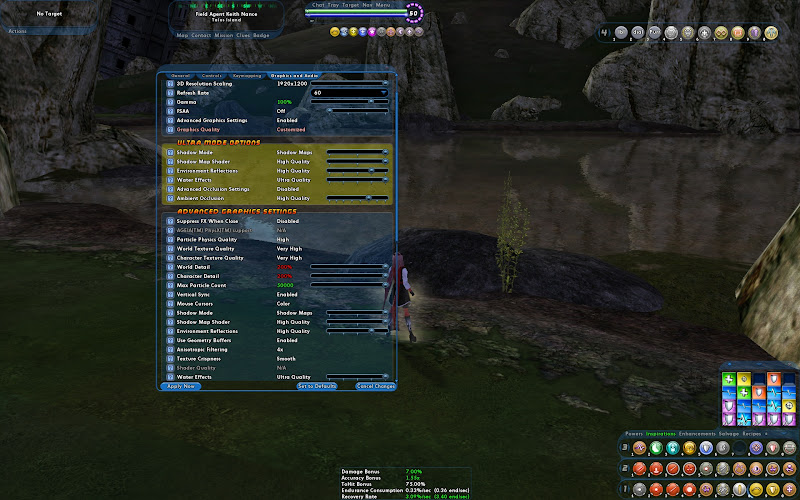
These features are:- Shadow Maps
- Environmental Reflections
- Water Effects
- Ambient Occlusion
Shadow maps affect the real-time shadows that are cast in the open segments of the game. Currently Shadow Maps are not enabled for indoor maps as the maps are built against the in-game sun. Ergo, Shadow maps do not seen to function at night either. They are there, but they are not as obvious.
Environmental Reflections
The starting point for Shadow Map support is basically the RadeonHD 38xx series in the 1440*900 resolution range. A RadeonHD 3870 coupled with an Intel I7 processor @ 2.67ghz and 4gb of ram was capable of driving Shadow Maps on Low in most open-area combat situations of the game.
Lower GPUs, such as the RadeonHD 4650, Geforce 9500 GT, and RadeonHD 2600 were capable of turning shadow maps on, but were unable to sustain playable performance at 1440*900.
Higher End GPU's, such as the RadeonHD 5770 (the highest I have on hand to test with now), could drive Shadow Maps at the highest quality with a resolution of 1920*1200 when coupled with a Phenom II 965
To give you an idea what Shadow Maps look like, here's some shots in Cimerora on my HD 5770
Low Quality: On low quality shadows, the shadows have extremely hard edges and are sharply defined.
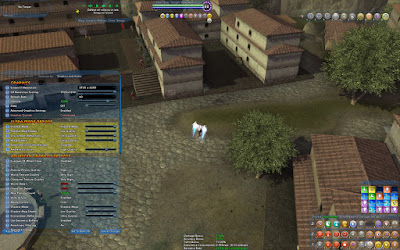
Medium Quality: On medium quality the edges of the Shadows start to blur, and this can be obviously seen on the shadow right above the options box:
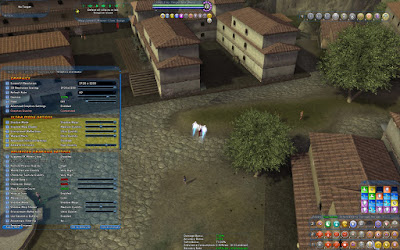
High Quality: with the high quality shot I moved the camera in a bit to try and show that the shadows were blending better on the tree, and on the house shadow atop the options box.
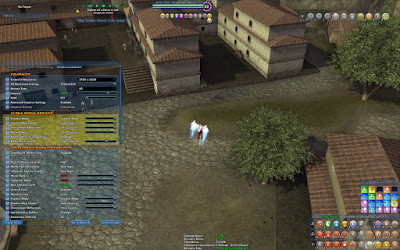
This is the option that controls what you get reflected in windows and off of costume parts. Again, the breakpoint here really is the RadeonHD 4850 / Geforce 8800 / 9800 / GTS 250. If you have a weaker card than these, you probably won't be able to drive Medium or High Environmental reflections.
However, older cards can generally handle reflections better than shadow maps. A RadeonHD 2600 Mobile edition coupled with a Mobile Athlon 64 X2 @2ghz can drive low reflections at 1280*800.
For reference A 9500 GT on hand was capable of driving Medium reflections when coupled with a Core 2 Duo @ 2.2ghz, although performance in combat situations suffered greatly.
Above the breakpoint, with the most powerful cards I have in hand, the RadeonHD 5770, Enviromental Reflections could be run on the highest setting in most City of Heroes zones. Performance in City of Villains wasn't quite as good...
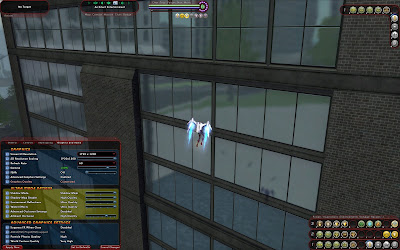
Okay. Here we go. I also found a bug. The zone pictured in the reflections is not from any existing CoH or CoV zone. I suspect it's the testing Praetoria zone. Enjoy this.
No reflections
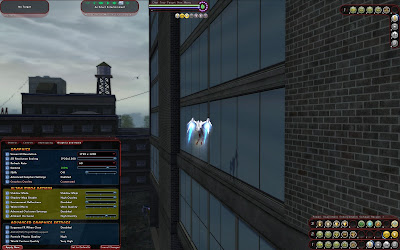
Low Quality Reflections
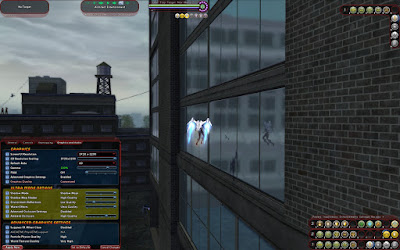
Medium Quality Reflections
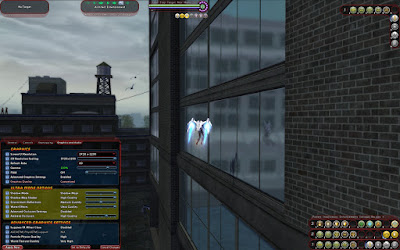
High Quality Reflections
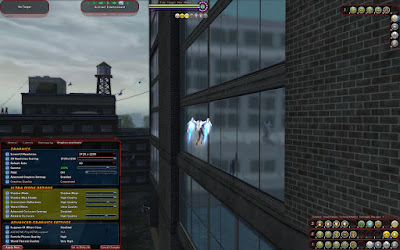
Ultra Quality Reflections
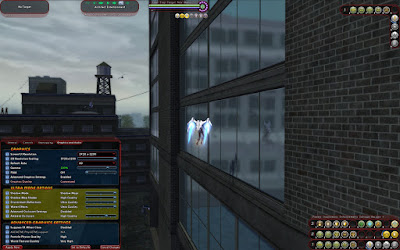
And just for kicks, a better shot at Proto-Praetoria
Water Effects
Now here's the Ultra Mode option you can pretty much crank to maximum as long as you have an OpenGL 3.0 compatible graphics add-in card. Now, because ATi cards have reputations for issues with Water Effects, I took these screenshots on my HD 5770 in Nerva.
Ambient Occlusion
Basic Water:
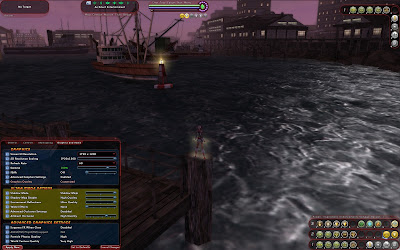
Low Quality Water:
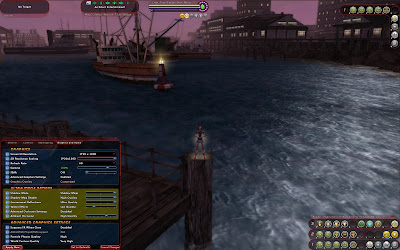
Medium Quality Water:
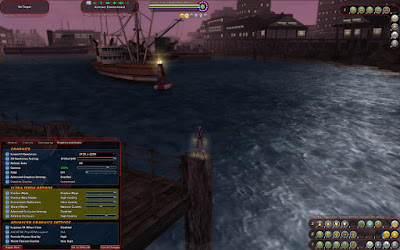
High Quality Water:
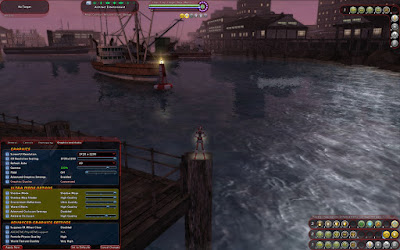
Ultra Quality Water
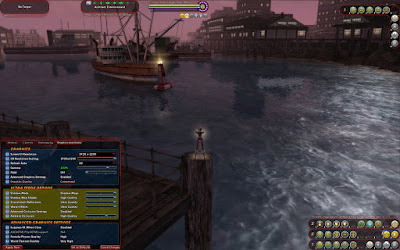
Basically, this just makes shadows and edges in the game more realistic.
Anti Aliasing
To show what I mean, here's some shots from a Geforce GTS 250 on Nvidia's OpenGL 3.3 driver preview.
To start off with, here's a shot of Cimerora without ambient occlusion
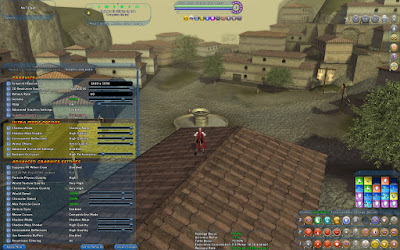
Here's Cimerora with OpenGL 2.x Occlusion. Now, the only DX9 cards I had on hand at the start of the beta test were a Geforce 6800 Mobile edition, a Geforce 7900 GT KO, and a Radeon x1950 Pro. Honestly, if you have one of these older cards, upgrade. Just... upgrade.
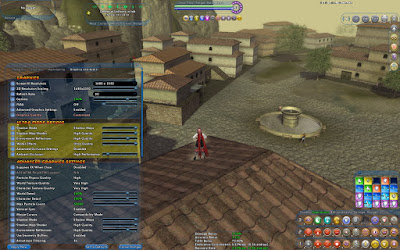
Due to some clumsy fingering on my part, it's hard to see 1:1 differences between fast occlusion and balanced.
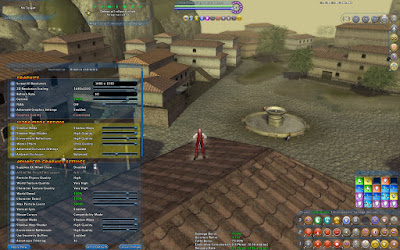
I didn't move in between Balanced and High Quality, so some of the understated shadows on the walls are more obvious.
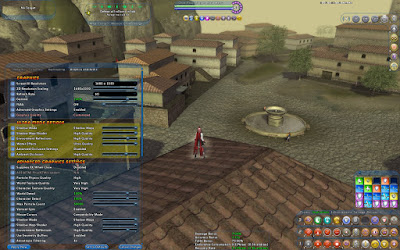
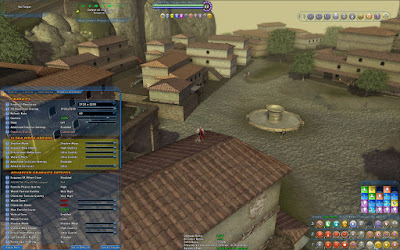
Now, I think there might be a bug here in the client, because the progression of shadows didn't change when I moved to Ultra. you can see that the FPS dived massively though.
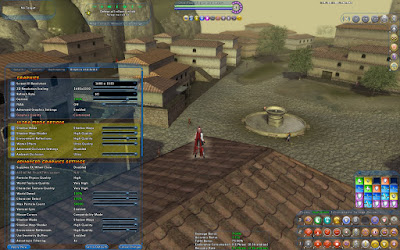
As a reference, I went and checked this on my HD 5770.
High Quality Occlusion
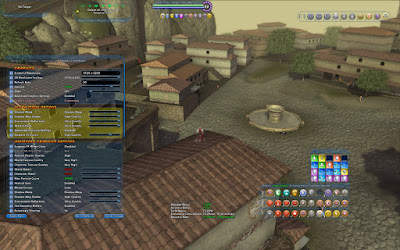
Ultra Quality Occlusion
Anti Aliasing has been moved out of the Advanced Settings and is in it's own section as part of the base graphics. So, what exactly does Anti-Aliasing, or AA do? Well, the short version is, it removes jagged edges from a rendered image.
Anisotropic Filtering
A good example is found in Cimerora at the steps:
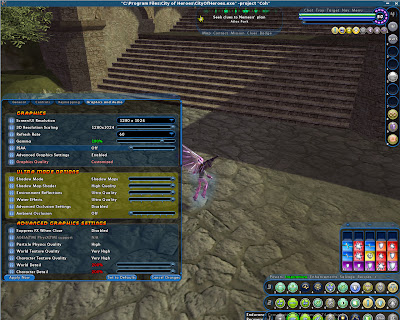
The stair edges are extremely jagged, and there's a clear stair-casing effect on the edges. As Anti-Aliasing is turned up, the jagged effect goes away.
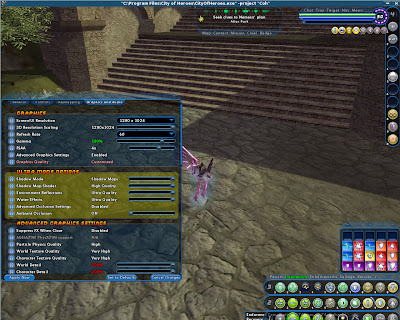
The general rule of thumb is that as you increase Anti-Aliasing, object edges will become better defined in a game world. The price to pay with making images clearer is lower performance. High End Graphics Cards from Nvidia and ATi can have multiple Anti-Aliasing methods, each designed to deliver a superior Image.
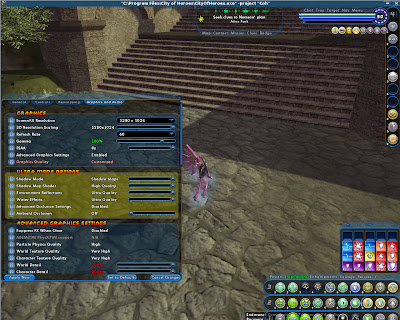
However, anti-aliasing on ATi graphics cards may, or may not, play nicely with Ambient Occulusion...
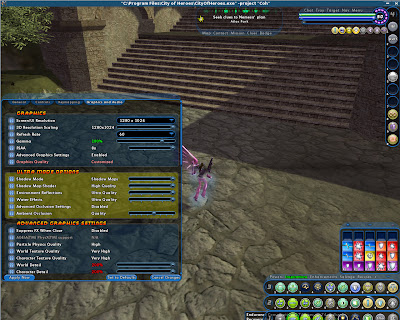
This looks alright... right until I change the camera position.
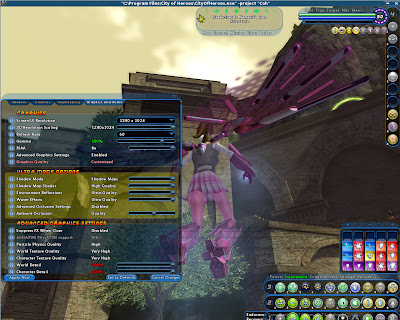
Anisotropic Filtering is still buried in the Advanced Graphical Settings, but since we are dealing with texture and image quality, we'll go ahead and look at it. The best way to think of Anisotropic Filtering is that it is a Texture improvement technique. It helps improve the visibility of textures as the distance to that texture increases: http://www.extremetech.com/article2/...2136960,00.asp
So, lets start in Ouroboros looking at the textures on the ground:
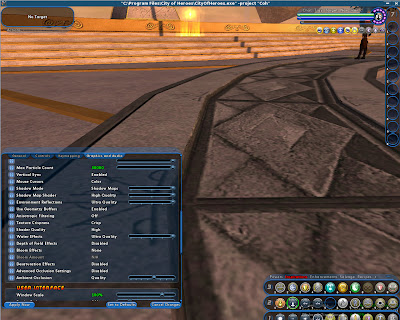
As we raise the level of Anisotropic Filtering, the textures in the background are more sharply defined:
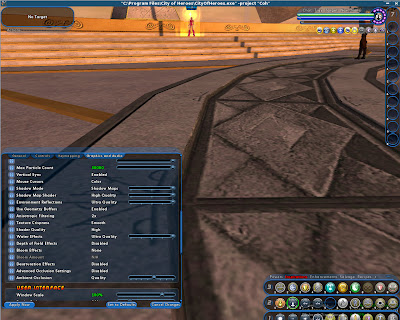
As the filtering goes up, the practical application starts to diminish:
As we go into higher levels of AF, other rendering factors start to have a greater impact, such as Anti-Aliasing and Ambient Occlusion.
8x:
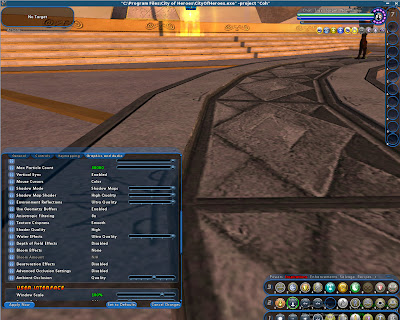
16x:
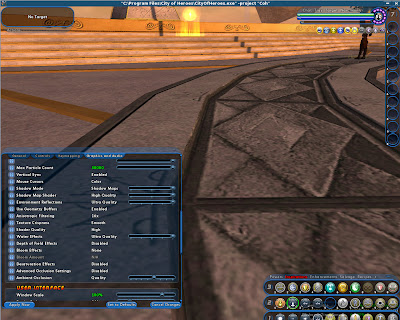
Now, AF improvements are more obvious as resolution increases... and longer draw distances are available.