
je_saist
-
Posts
4197 -
Joined
-
Quote:burn a vet spec or go run a respec trial.Originally Posted by Ob1Shinobi
 Point and laugh me!
I used my Freespec yesterday to switch up a few power choices for my level 45 Broadsword/Regen scrapper. She had the Weapons Mastery pool but was running into Endurance issues. Targeting Drone was nice but I didn't really use Caltrops as I thought I would. I also had an IO set that I wanted to use somehow and needed an extra attack power (if only to use as a mule).
So I dropped Revive, picked up Slash (slotted with my IO set), picked up Focused Accuracy, and then grabbed Physical Perfection. Stamina problems, see ya later! Or not...
So does Physical Perfection pretty much suck?
Or a better question would be, am I stupid? I have/had Swift and Health already. Why didn't I just use my power pick at 44 to pick up Stamina?
Time to burn my vet spec?
Physical Perfection has half the regeneration power of health, and half the recovery power of Stamina. This does not mean that the power sucks though. It's very useful for builds based on SO's with endurance issues, such as Dark Armor, Ice Armor, or Stone Armor, and very useful for builds that rely on regeneration, such as Regeneration and Willpower.
Something else to consider with what you posted about your build is that Focused Accuracy is one of the heaviest end-drains in the game, with a whopping base pull down of .78 endurance per second. Even if you slot recovery into ED (92%-98%), you'll still be yanking down .40+ endurance per second.
Another issue with Focused Accuracy is that it went through a genuine nerf a few issues back. It used to boost a players to-hit buff by enough to punch through Defense heavy types like Rikti Drones, Cimerorans, and Vengeance Stacked Nemesis. The power was changed to give a minor to-hit buff, and a major accuracy boost, which according to the developers, was supposed to deliver the same effect in PvE. Only... it doesn't. If you slam the to-hit buff into an ED capped 54.2%, you'll still only be pushing 7.71% to-hit boost off of a 5% base. As an accuracy power, Tactic's offers a base 7% boost, confuse protection and resistance, and terrorize resistance, with a lower endurance cost, while affecting an entire team. That being said, Tactic's lacks resistance to To-Hit debuffs, lacks a flat accuracy boost, and it's perception buff / perception debuff resistance is lower.
I've written about this before, but my personal take on the matter is that who-ever rebalanced the Focused Accuracy numbers did so by averaging out the overall accuracy boost against all enemies level 44+ avatars could encounter, rather than realizing that Focused Accuracy's extreme endurance drain was supposed to be used as a tool against a specific sub-set of enemies. I'm not entirely convinced Focused Accuracy is worth taking over Tactics now unless you are going up against enemies like Arachnos that can wipe out to-hit and percentage values.
So while yes, the Focused Accuracy changes do mean that the power performance pretty much the same against Praetorians, Carnival of Shadow, Malta, Devouring Earth, and Rularuu... it pretty much sucks against the high-level enemy types it was supposed to be a counter for.
***
Now, in your ideal build, as a regen, you really want the pool powers Health, Stamina, AND Physical Perfection.
A slotted Stamina, slotted Quick Recovery, and an unslotted bonus from Physical Perfection, should be enough to drive even the most ludicrously recharged attack builds you could put together.
As a regen's power is their regeneration, you really want to take every opportunity you have to pull in more regeneration and increase your HP cap. For that, Physical Perfection is just another way to boost your regen rate even higher. -
Quote:3 days would have put this petition on either Friday or Saturday.Originally Posted by Solistion
Recently i recruited a friend to CoH/V shes paid for 3 months of game time and is already past the 1 month free time. She wants going rogue but every time she tries to pay for it, she gets an error saying "We're sorry, but we are unable to accept your order at this time. Please try again later or tomorrow. If you continue to have problems, you may wish to visit one of our retail partners." anyone able to help as to why she gets that message? even tried using my own card and same message, petitioned a Gm and they escalated the petition but its been 3 days
Nobody is in the office on Saturday or Sunday to deal with this kind of issue, so you'll probably be hearing from somebody either on Tuesday or Wednesday. -
Quote:GPUZ shouldn't be making any calls to the graphics engine, so it shouldn't be causing the graphics card to get hot. All GPUZ should be doing is monitoring the information given from the driver.Originally Posted by all_hell
I have the same video card on an XP machine w/ up to date drivers. I was not having any problems.
But running GPUZ caused my video card to get really, really hot very quickly. So hot that it shuts off at the CoV log on screen.
So, it may or may not be of diagnostic help to you thgebull0425
But if you run it and your card seems to be running really hot, it may just be the GPUZ
If you believe you have discovered a bug in GPUZ were it is actually making 3D API calls and is causing temperatures to increase, please file a bug report over on TechPowerUp's Forums: http://forums.techpowerup.com/forumdisplay.php?f=53 -
Quote:Most games released in a Windows client format in the past few years haven't leveraged OpenGL. City of Heroes is the first commercially released game (that I am aware of) that leverages OpenGL 3.0 API calls.Originally Posted by thgebull0425
Je saist, even if I can play other games without any issues? I play Rome Total War and I don't have problems. Now admittedly, my graphics card could work on that since it is older. And why don't i have keyboard and mouse issues normally, and only when I log into COH.
So yes, even if other games work perfectly, there could still be an issue with the drivers themselves.
Now, the x1600 series isn't going to have an OpenGL 3.0 driver, as the card is only capable of OpenGL 2.0 support, which is one of the potential complications with this issue. -
hmm. Your drivers do seem to be up-to-date for the Mobile Version: http://www.nvidia.com/object/noteboo...7.16_whql.html
It also appears that you seem to be running a 64bit edition of NT6... and I'm not exactly sure there's a polite way I can say this:
Nvidia's 64bit support sucks harder than an Electrolux Vacumn store.
I have two suspicions about what might be happening.
First: you are encountering a bug in the 64bit drivers, and there's pretty much no recourse other than waiting for Nvidia to get around to fixing the problem on their end.
Second: the graphics card is over-heating. The second tab on GPU-Z should allow you to read the temperature values of the card while in game.
Start up GPU-Z, and tell it to always stay on top.
Start up CoH, and run it in windowed mode.
If it's a heat issue, you should see a spike in GPU-Z's temperature readout as the system locks-up. -
Post a GPU-Z report and lets see what driver version you are running: http://boards.cityofheroes.com/showthread.php?t=219502
-
Some of the potential issues have already been addressed. The 10.2 and 10.3 drivers contained several issues with Ultra Mode. Most of those issues were addressed in the 10.4 release, so you do need to update your drivers.
That being said, I know that on the 10.4 drivers, a single RadeonHD 5770 can drive a 1920*1200 resolution with all Ultra-Mode features maxed when backed with a Phenom 965, and Ambient Occlusion set to High Quality. So, that leads me to believe we need some more information about your computer.
First: what operating system are you running?
Second: what resolution is your display?
Third: do you have any custom settings enabled in the Catalyst Control Center? E.G. Catalyst Control center will let you set various Anti-Aliasing options such as Multi-Sample, Adaptive Multi-Sample, and Super-Sample AA, as well as AA types such as Box, Narrow-Tend, and Wide-Tent... all which can have crushing effects on your system performance.
Forth: Temperature Settings. Shadow Maps are really hard-hitting on a GPU. If you got one of the cheap 5850's, it's possible that the card simply can't exhaust enough heat and is down-clocking. Utilities like GPUZ can monitor the temperature while you are in game: http://boards.cityofheroes.com/showthread.php?t=219502 -
Quote:http://boards.cityofheroes.com/showthread.php?t=219502Originally Posted by SuperLexxx
I've been having a problem with my game crashing for a while now, and it seems to be getting worse. Neither I or my dad can figure out the issue and were wondering if anyone could help us out. We read through this thread, http://boards.cityofheroes.com/showthread.php?t=143598, which lists the problem that I'm having (problem a, Graphics Driver Has Stopped Responding and has Been Recovered). We tried disabling the PhysX stuff that was said to might be causing the problem, but that didn't work either as my game crashed THREE TIMES in the space of one mission.
My father is hesitant about messing around with the drivers and stuff as it is a big pain to do and we don't to risk ruining my computer anymore. For reference, I am running Nvidia 9800 MGS on my ASUS G50 laptop. If anyone knows how to solve this problem, I would greatly appreciate the help as I am currently finding the game to be nearly unplayable. Thank you.
post what GPUZ says about your laptop please. -
Quote:but it doesn't work.Originally Posted by Big_SOB
Thank you very much for the link...it's on there. Down a little way, but it's there.
Read the whole post on Multi-Gpu.
The command is not enabled on the Live Server. -
Quote:read here: http://boards.cityofheroes.com/showthread.php?t=219534Originally Posted by Big_SOB
do you, or anyone else, know what that command is?
Third Post -
What part of NOT GOING TO HAPPEN is not being understood?
http://boards.cityofheroes.com/showp...14&postcount=6
http://boards.cityofheroes.com/showp...1&postcount=11
The. Devs. Said. NO! -
Multi-GPU Support
Several players of City of Heroes have Nvidia SLI and AMD Crossfire configurations. At this time City of Heroes does not leverage either multiple GPU technology for additional performance.
***
That being said, there is an unofficial and completely unsupported method of getting SLI working on some configurations. That method might be known as:
"C:\Program Files (x86)\City of Heroes\CohUpdater.exe" -slifbos 2 -test
This is one of the reasons why I'm able to drive much higher quality values in my GTS 250 shots than I mentioned in the threads opening. Under combat situations using the in-testing SLI method, my A64 6000 / 2gb / GTS 250 triple SLI system can manage 15-20fps @ 1680*1050 with Shadows, Environmental Reflections, and Water Effects on Ultra Quality.
At this time no similar shortcut has been made available for Crossfire users. Basically, if you have a multi-gpu setup, don't worry too much. Official support could be arriving later this year... and I suspect that will allow my HD 5770's to run full-tilt in all game areas.
****
Okay, I received a PM asking two questions. First, was SLI working on the Live Server, and second, which settings would be required for a certain configuration to push 1920*1200. The user in question has dual 9800 GT's... which... well. Even with SLI... are probably going to struggle to push Medium details in 1920*1200.
I've got Geforce GTS 250's in Triple SLI, and with Television's SLI test mode, I can push all Ultra Mode Settings maxed and get an average 20-25 fps at 1680*1050 in most City of Villains zones... As I've mentioned in other threads, CoV is really the performance benchmark to pay attention to as it's system geometry forces massive overdraw and has some really bad architectural choices. If your rig can handle 20-25fps stable across CoV zones, in theory, your rig should be able to handle the worst Praetoria can generate.
Anyways, okay, fine, the users 9800 GT isn't actually as powerful as a GTS 250, and I've got one additional card... but SLI support is still very much a work in progress... and one of the developers (Television) has indicated that there's more performance headroom in Multigpu setups. Whether or not that's enough to drive another resolution stepping, I don't know. What I do know is that both AMD's and Nvidia's OpenGL 3.x and 4.x drivers aren't exactly optimized for Video Games, and City of Heroes is I think the first commercially released game title to leverage the API.
So there probably is the headroom on some multi-gpu setups to turn an average 20-25fps into a 25-30fps average.
***
Anyways, getting back to the problem though... Well, first, as I said, SLI isn't supported on the Live server. Click on the pictures for larger versions.
Here, I'm on the test server in Nerva. With my camera taking in the water front, I'm pushing 26fps, and I've got all settings maxed. Ambient Occulusion is on high quality. The fps count is in the upper right hand corner of the picture.
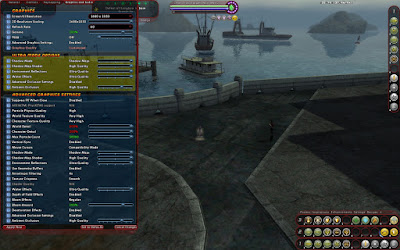
When I go to the same spot on the Live Server started with the SLI command, although I'm running a lower level of ambient occlusion, I'm only pushing 23fps:
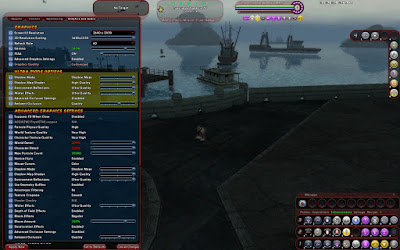
Now, what you can't see is the /graphfps 1 command, which isn't captured by the in-game engine. So here's an example from another Computer.
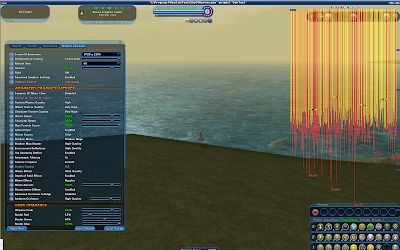
Now, while running on the test server with the SLI command, Nerva is mostly a yellow response. While running on the Live server with the same command line setting, and lower-in-game settings, Nerva mostly responds as red.
So, what settings should you use?
Well, at 1920*1200... you probably are going to have to settle for low Ultra Mode settings... and even when SLI support is merged to the main branch, I doubt you'll be able to push medium settings.
There's also another problem with Nvidia cards right now... at least with this driver... which I'll demonstrate:
Here's the settings that a single Geforce GTS 250 is most comfortable at across most of the game in 1680*1050. Shadows and Reflections set to Low, Water Set to High, and balanced Ambient Occlusion:
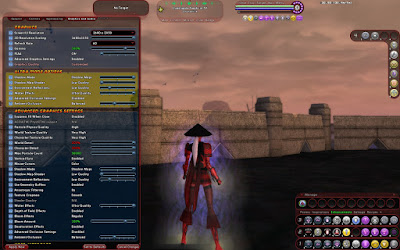
As I bring the camera up though... the frame rate plummets:
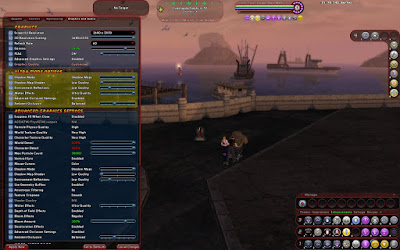
As I turn to head towards the AE building, the frame continues to plummet:
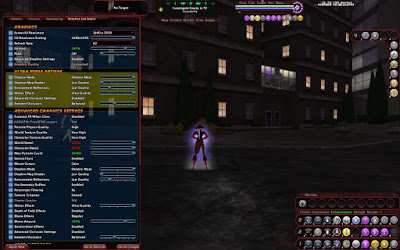
Sure, 12-16fps is technically playable... it just isn't pretty.
***
Now, as of right now, a single RadeonHD 5770 can drive Ultra Mode at 25-30fps in 1920*1200 in combat situations with all details maxed out, so if you are buying on a budget, that's your best choice for a new graphics card. Presuming Television and AMD get Crossfire support worked out, I suspect Dual-5770's will be able to handle anything Praetoria can generate.
*Nix Support
Okay, as you probably know by now, Transgaming handles programming their Cider engine for the Macintosh Client... and used CoH as one of the standout examples of OpenGL during the GDC OpenGL 4.0 keynote: http://www.khronos.org/developers/li..._GDC-Mar10.pdf
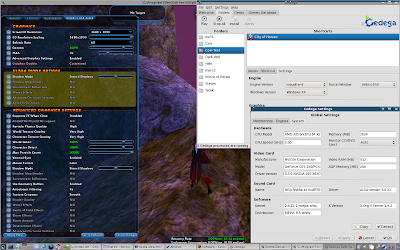
Update: Ultra Mode still doesn't work with the latest Nvidia drivers and Cedega engine combinations. Believe me, I test everytime a new driver hits or a new Maudite engine is released. When the situation changes, trust me, I'll be posting pictures.
Currently Ultra Mode works across both ATi and Nvidia graphics cards under Cider on OSX.
Currently Ultra Mode only works across ATi cards under Cedega on Linux. Ultra Mode is also only exposed under the in-testing Cedega 8 engines. As of the latest Nvidia driver and latest Cedega 8 testing engine, Ultra Mode is still not exposed to end users.
No, I do not have a date on when Cedega 8 will ship, nor whether or not there will be a public Cedega engine preview release for all those not in the Cedega testing program.
Update: As of now there is a public beta of the Maudite Engine. Ultra Mode works on ATi cards with Catalyst Driver 10.4
***
A new testing engine for Cedega hit today. Unfortunately, it still does not bring support for Ultra Mode on Nvidia cards.
***
Okay, at this point in time with the most recent build of City of Heroes on the test server, there seems to be a memory leak or other major issue with the Cedega engines on both ATi and Nvidia cards. Here's a copy of the bug report submitted to Transgaming:
Quote:Here's an odd one. I've duplicated this across My new Phenom II 965 with a RadeonHD 5770, an I7 system with a RadeonHD 5770, a Core2 system with RadeonHD 4850, and an Athlon64 coupled with Geforce 250 GTS in both standard mode and with the -slifbos 2 command prompt. The issue also occurs across Maudite 6, Maudite 7, and Maudite 8, and I tried the Unibroue based 7.0.1 and 7.3.3 engines as well.
While the game functions and works while loaded into a zone... when I attempt to load a new zone, the game hangs up, and the Cedega game windows become non-responsive. I can alt-tab or click into the Cedega window to terminate the process. The frame-buffer itself also seems to have issues, as frame data is not removed. e.g. I alt-tab to type on this page, and I alt tab back, and a section of the Cedega window has this bug reporting page still showing.
I'm not exactly sure if this is a Maudite Issue or a game issue or a driver issue. As of right now, the developers are testing a new server technology on the back-end, and most of my testing has been on the second test shard using the "new technology". However, I also can get the same type of crash loading into the game... although that does not happen quite as often, and isn't really something I can force to duplicate.
RadeonHD systems I'm also running on the the 10.3 driver... which is known to have issues with the Windows Client. Okay, I could drop back to 10.1, which I'll probably do and run an update... or wait for 10.4 and test again. On the Nvidia system I'm running the OpenGl? 3.3 preview driver, so again, could be an issue there.
Then there's the issue that the game just went into Open Beta and the servers are swamped. For all I know the server is just lagging so badly, Cedega isn't able to compensate or messes up on the extreme loading lag. I've had quite a few Lost Connection to Map Server issues.
Other Known Issues
Lock-ups on settings changes
ATi Users: right now if you are using the 10.3a, 10.3 stable, or 10.3 OpenGL 4.0 preview driver, you will experience massive graphics lag after making changes to Shadow Maps. You can get around this by either trying to force the game to quit... or if you have patience, before you change settings, do this:
Ambient Occlusion and Full Screen Anti-Aliasing.
- Open up the chat Window
- type in /unloadgfx
- hit enter
- this will cause your graphics to reload
- Make the setting change and apply.
- Hit the / key.
- wait for the chat window to highlight, could be a minute
- hit the up arrow
- wait for /unloadgfx to appear
- hit enter
This should return your graphics to normal.
As of right now, there are issues with Ambient Occlusion and Anti-Aliasing. Be prepared for an ugly picture if you enable both.
Update: Anti-Aliasing and Ambient Occlusion have been fixed on AMD's OpenGL 3.x series cards. I am able to run the two together without corruption on RadeonHD 2600 Mobile, RadeonHD 4650, and RadeonHD 4850.
AA+AO is still broken on RadeonHD 5x00 series cards. -
Advanced Graphical Settings
With the Ultra Mode Features, Anti-Aliasing, and Anistropic Filtering out of the way, lets work through the rest of the available graphic options.
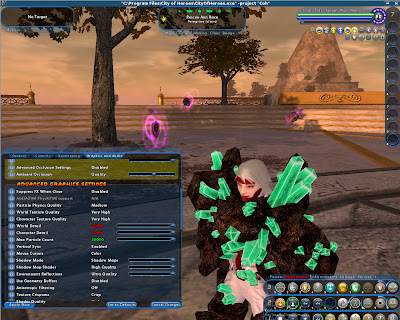
Suppress FX When Close
Here's a nifty function of the graphics. As your camera closes in, the graphical effects applied to your costume can be turned off.
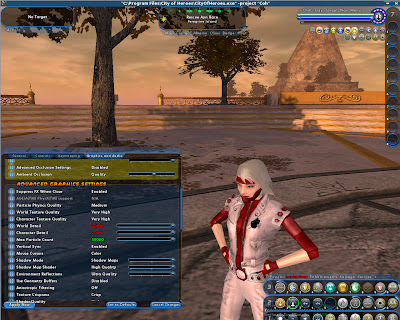
World Texture Quality
World Texture Quality deals with the general quality of the textures that the game uses to render the world around you.
World Detail Level
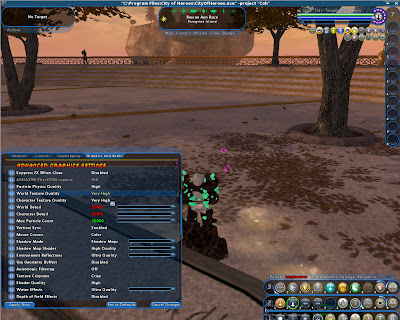
On low modes, textures are generally blurry, washed out, and lack detail.
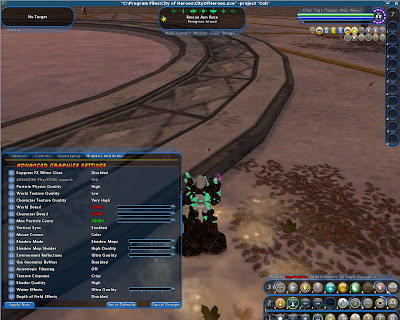
As you'd expect, increasing the texture quality makes everything look better.
Medium
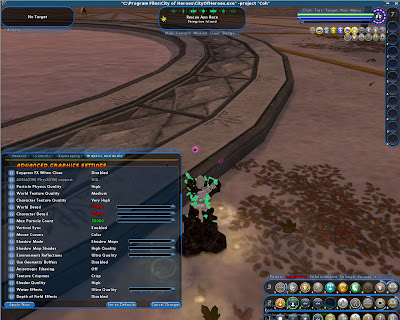
High
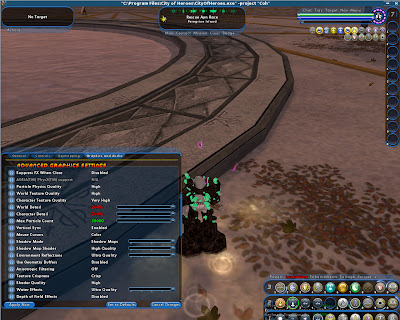
Very High
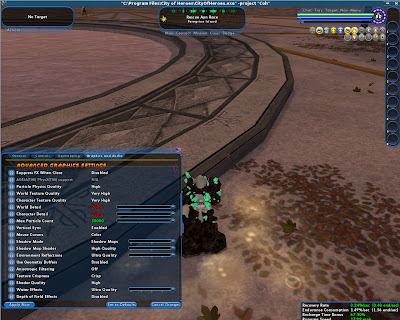
Now, there often is some confusion as to exactly what World Detail Level is. The best way to explain World Detail Level is this: World Detail Level determines how far out from your character details in the world are drawn.
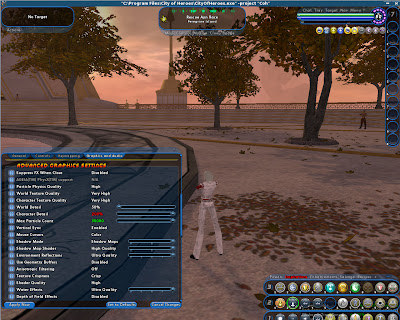
Here, in Ouroborus, we can see the dim outline of something in the distance. As the detail is cranked up, we can see what that object is:
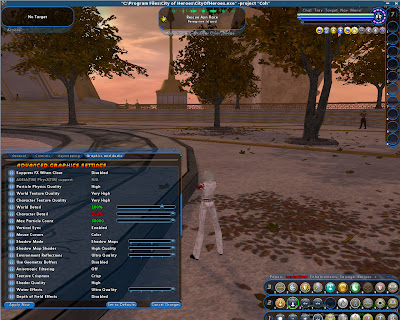
While the detail of objects away from the camera has increased, the detail of objects near the camera have not changed. As we crank the settings even further...
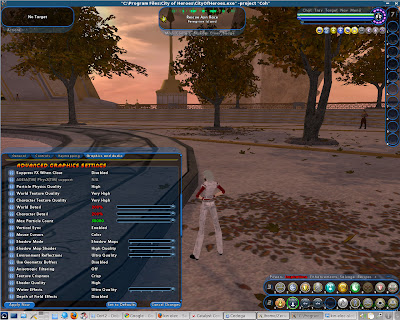
We can see more and more details in the distance. According to Paragonwiki, if you turn the visual distance scale all the way up, virtually all world objects will be drawn and rendered into the screen, whether or not those objects are actually visible.
This does mean at some point there is a trade-off in terms of what is rendered, and what can be seen. At some point, the World Detail Level will be drawing and applying textures to objects that are hidden by the camera; hidden by the resolution; or naturally obscured by other technologies such as Anti-Aliasing, Ambient Occlusion, and Anisotropic Filtering. This is one of the reasons why detail levels behind render scale 2.0 are not exposed in the UI. The 2.0 scaling is just about the breakpoint for 1024*768 - 1680*1050 resolutions. As resolutions climb higher, the un-filtered detail level change can be more readily recognized... but the viewing advantage goes away as filters are applied and the image is cleaned up.
Character Texture Quality
Character texture quality determines the actual quality of the textures applied to your avatar in game.
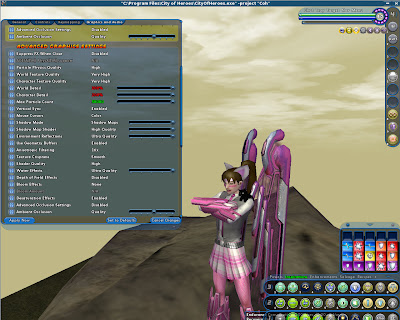
Here, on Low, we can see that the Avatar's image is blocky, and there's not much detail on the Enforcer arms, and the legs have some faint striations.
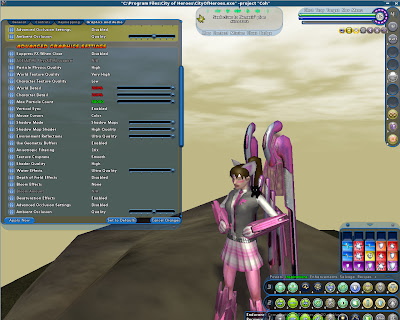
As we move detail up, we can better see the details on the Enforcer arms, and it becomes clearer that the Avatar is wearing the fishnet bottoms:
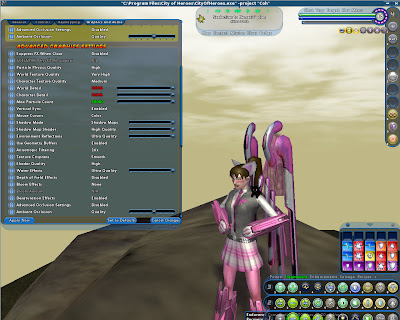
High
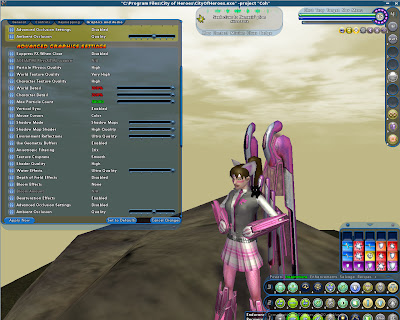
Very High
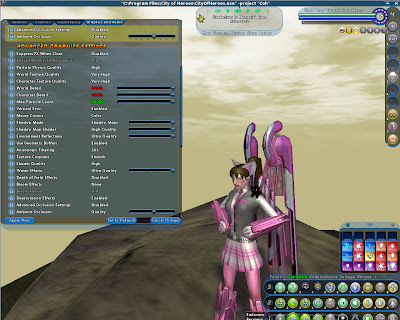
One of the factors to keep in mind about Character Texture Quality is that colors can change. It's more noticeable on the enforcer arms and legs, and since I had Ultra Mode Reflections set, not as noticeable as it could have been on the wings, but as more details are added, costume parts can change perceived color. The rivets and bumps on the enforcer parts can make the costume parts appear to be darker at higher detail levels.
Character Detail
Much like World Detail, Character Detail is often confused for what it does. Like World Detail, it handles how far away objects are rendering from the player.
While World Detail handles static objects, Character Detail handles interactive objects, such as contacts, NPC's, enemy critters, and other players.
Here in Cimerora, we have two fishermen on the docks. With a low detail distance, they seem to be missing costume components.
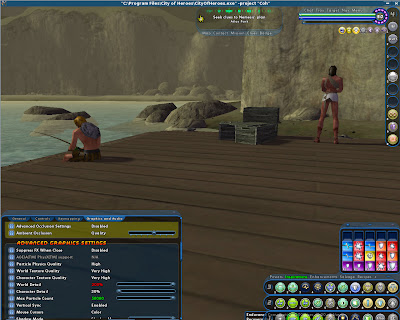
As we get closer, we find out that the engine just was not drawing those components because of the Character Detail.
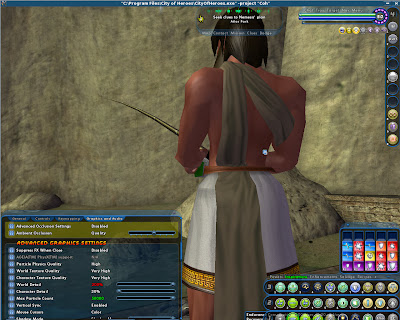
Increasing the Character Detail increases the distance at which details are drawn from the camera:
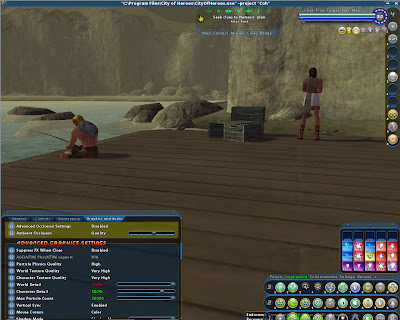
Because of this effect, some players are convinced that Character Detail changes the amount of detail applied to an object. As we just saw, Character Detail was affected by distance, so lets see it again.
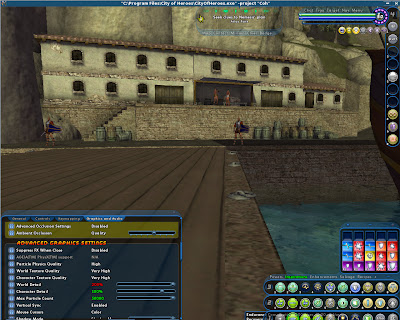
As we move the detail up, the soldiers closer to the camera gain some shadow detail while the soldiers on the platform appear to gain their armor.
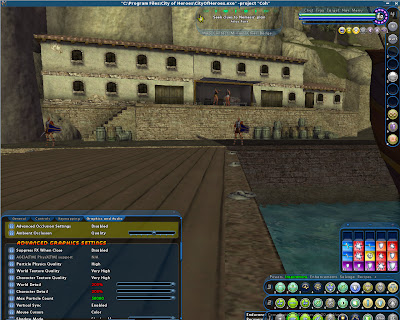
Much like World Detail, Character Detail is dependent on just what can be seen on screen. So, if you crank filtering effects, long-distance character detail can be impacted as well.
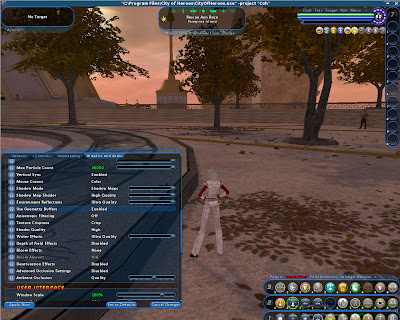
Geometry Buffers
Geometry Buffers is a performance enhancement option that... well. Either you have it... or you don't.
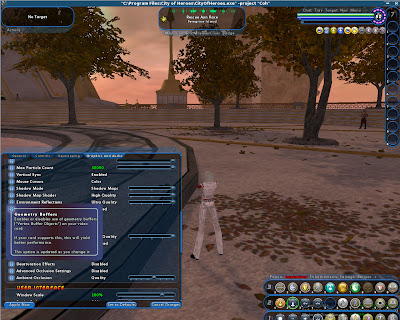
Shader Quality
If you are running with an Ultra Mode setting, Shader Quality is automatically set to high. If you have an older graphics chip or an integrated graphics chip, you might need to set a lower Shader Quality setting.
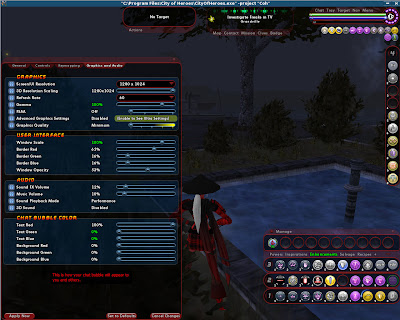
Here, in Nerva at night, the colors on my stalker's armor pop, and stand in stark contrast to the night-time scene.
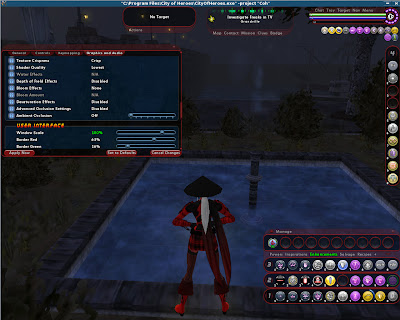
As the shader quality goes up to Medium, more effects are applied to the scene. There's more general detail in the surrounding plants, and the armor is now darkened to match the night time scene.
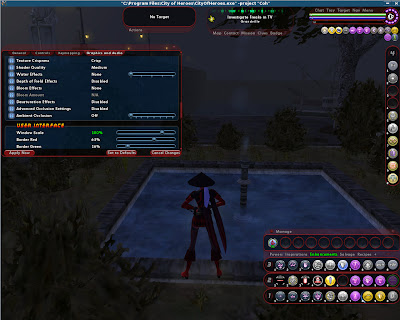
At this resolution, and with no other details enabled, there's not much difference between Medium and High Shader settings.
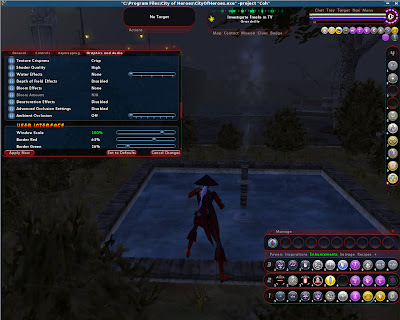
So here's the same scene in daylight.
Lowest:
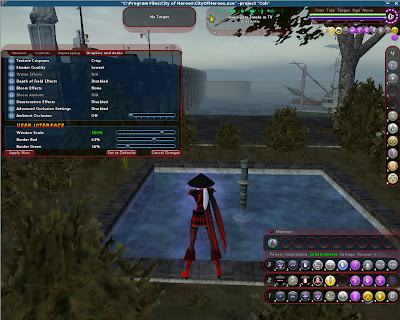
Medium:
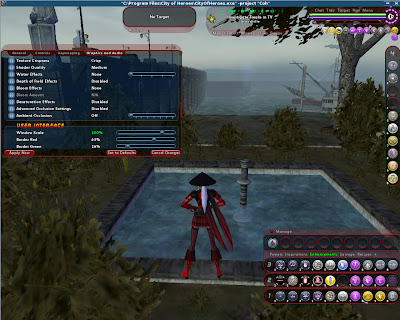
High:
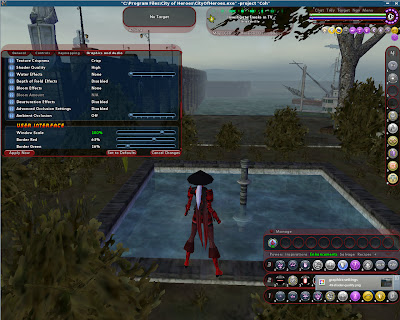
Depth of Field
Depth of Field is a graphical effect that is supposed to enhance the feeling of looking at objects at a great distance. Games like Star Fox Adventure, Zelda, and Borderlands use Depth of Field effects when focused onto an enemy or object to help enhance the feel that one is looking straight at the object.
In CoH though... it's more like somebody smearing Vaseline all over your monitor...
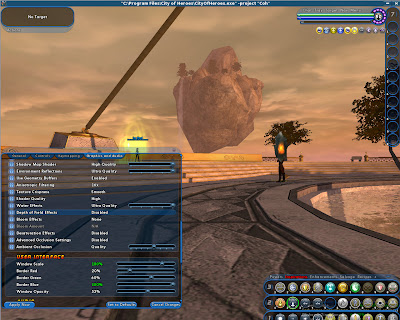
(insert Jeremy Clarkson walking by, announcing he's going to do a J-Turn's in Ouroboros... and...)
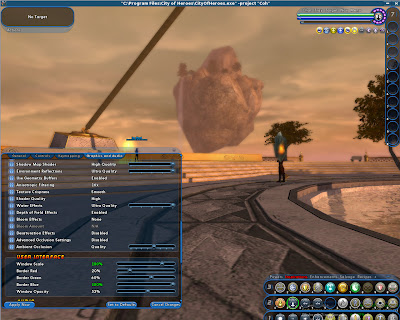
Oh yeah. Really. Depth of Field effects need a make-over.
Bloom
While the Depth of Field effect is obnoxious and easy to screencap, Bloom isn't as easy to explain. It's a method of working the lighting system for more realistic lighting effects. I tried to force an example in Cimerora.
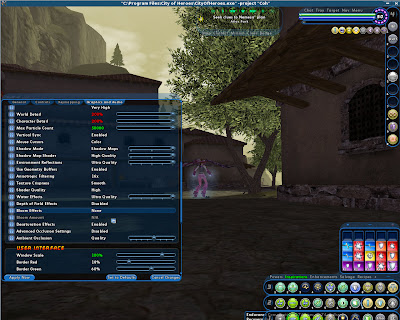
While the entire scene gets brighter, look at the clouds up top.
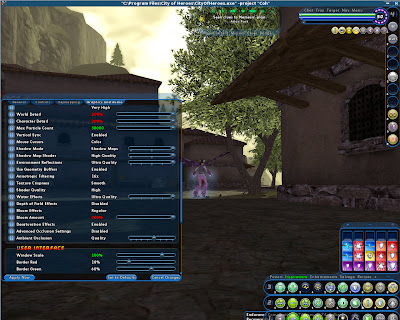
They've now gotten overly bright due to the Maximized bloom. Bloom really can help the game world feel more immersive, but it's also easy to over-do the extra lighting effects.
Desaturation Effects
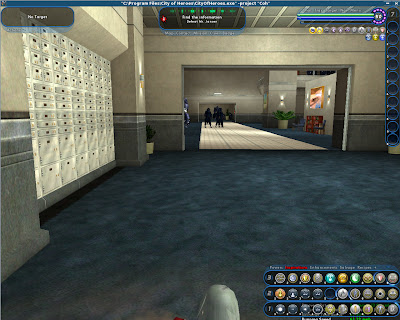
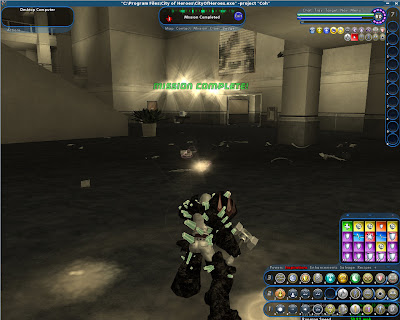
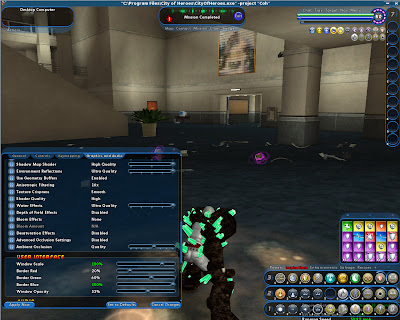
Desaturation affects don't occur very often in the game. Mostly, you'll see these effects while running Ouroborus missions, such as at the start of a mission:
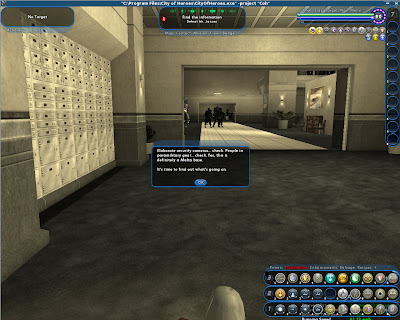
The effect wears off quickly enough...
Although you'll get it again when the mission ends:
If you don't like the effect, you can turn it off.
-
Quote:Hmm. Locking up and having to force a restart is never a good thing.Originally Posted by thgebull0425
On Saturday, I ran Norton, left for a couple of hours, and my PC was locked. I had to power down and restart. I then tried to enter COH, and my mouse cursor was floating and moving kind of all over the place. Once in game, my Keyboard controls were all funky, not being able to move, moving me in directions I didn't want to go.
Earlier in the day, I logged in, and had no problems, so I am thinking something happened. Attached below is my video card. Could this be the problem?
ATI Catalyst Radeon Graphics
x1600/x1650 Series.
Could it be possible that when my PC froze it caused the problem, and if so, how do I troubleshoot.
My mouse and keyboard work fine outside the game.
Help!!!!!!!
Now, I'm not inclined to blame your graphics card to start with. Yes, the x1000 series is sort of old by now, but I'd rather you run some other tests first.
First, I'd like to run a Memtest. You can get Memtest either on it's on ISO: http://www.memtest.org/#downiso :: or from popular LiveCD Linux Distributions like Mepis: http://www.mepis.org/mirrors
If there's a memory failover point, Memtest will find it. What you want to do is run Memtest for a few hours. If you get any RED ERROR MESSAGES, it's time to buy new ram.
***
If Memtest doesn't turn anything up, run GPUZ: http://www.techpowerup.com/gpuz/
GPUZ should allow you to monitor your graphics cards essential attributes:
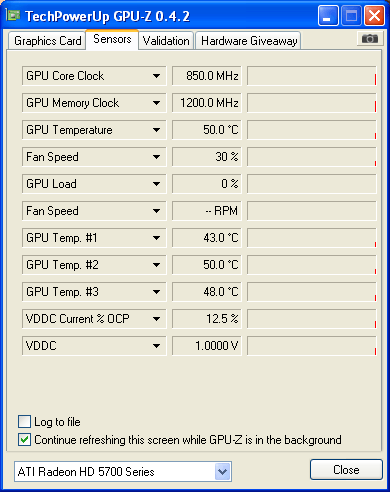
Simply run CoH in windowed mode and force GPUZ to always be on top. If you get spiking temperatures while running the game, that could be the problem.
***
The next step, or first step if I was at the computer, would be to drop Norton like a red hot horseshoe. In my own tests, Norton's Antivirus is one of the worst in the industry, with a hit-rate for virus's best described as Star-Wars Stormtrooper circa A New Hope.
Free Antivirus's like Avast and AVG have way better detection rates, and chew up far less processing power.
***
The last step I would take at this point would also be to clear out the drivers. You are a bit out-of-luck in that the x1000 series was retired back in 2009. The last driver update was 9-3. Since then AMD publishes a quarterly update rolling the 9-3 driver into new packages. I think the last quarterly update was 10-2 Catalyst package. I'd run Memtest and check the temperatures of the x1600 you have on hand first though. -
Quote:yeah. I remember my first time getting to the ice ramps... wasted a lot of time in there I did...Originally Posted by Eek a Mouse
Sounds like what happens when someone is on the Frostfire map for the first time.
-
Quote:Based on my experience with RadeonHD 4850, RadeonHD 5770, and Geforce GTS 250, a Geforce GTX 260 should be able to manage 1680*1050 with all Ultra Mode Settings maxed out.Originally Posted by callis
I was wondering how this performed. Because I'm going to be upgrading vidcards fairly soon and I don't want to spend a super fortune. Also planning on a memory and power supply upgrade.
Would I buy one? hell no.
Right now the cheapest GTX 260 you can buy on Pricewatch (a US site) starts at $191: http://www.pricewatch.com/search?q=G...cn=Video+Cards
For starters, a RadeonHD 5770 will blow right past the GTX 260 in terms of raw speed, and run DirectX 11 / OpenGL 4.0 games in 1920*1200... for around $30-$50 less: http://www.pricewatch.com/search?q=R...cn=Video+Cards
A RadeonHD 4870, the feature equivalent Radeon to the GTX 260 (DirectX 10 / OpenGL 3.0) also starts around the $150 mark: http://www.pricewatch.com/search?q=R...cn=Video+Cards You have to be careful though, RadeonHD 4870's are disappearing from the market, so much like the Geforces, prices can go up if you aren't careful.
If your dead set on spending $200, there's the very big problem that is the RadeonHD 4890: http://www.pricewatch.com/search?q=R...cn=Video+Cards When HardOCP looked at it to start with, it had no problems burning a GTX 275... and later driver updates (such as the recently released Catalyst 10.3a performance driver) is doing a good job of nipping at the heels of the GTX 280 and GTX 285 cards... Spending $200 on a GTX 260 when this is available? Well. That's sort of like pulling out a list of great martial arts or action-hero actors and passing over Jackie Chan, Tony Jaa, Chuck Norris... going through the B-lists of Rain and Jet-Li... skipping past the C-lists of Val Kilmer and Jean Claude Van Damme... declining the muscle guys Sylvester Stallone, Arnold Schwarzenegger, Vin Diesel, and Holk Hogan... and getting all the way down to Steven Seagal... and going "That's our Guy"
Yeah, you could. But..really. Why?
***
If you don't mind breaking the $230 price point, which you will if you want a Good Super Clocked GTX 260... there's the other big problem called the RadeonHD 5830: http://www.pricewatch.com/search?q=R...cn=Video+Cards
Again, DX11 / OpenGL 4.0 support... and more performance than a GTX 285 in pretty much every game shipping.
***
So, it's your choice really. If you buy one of the GTX series of cards, you are getting ripped off. Period, Stop, End of Story.
If you've got the money to burn though for a graphics card that is slower and has less features, hey, go for it. It's your money. Buy what you want to buy. -
Quote:... I'm going with...Originally Posted by skittledude2
NVIDIA® GeForce™ FX 5600
thanks
not a chance in the world.
Here's the big problem: The GeforceFX series was really a DirectX 8.1 design modeled after the NV2a used in the original Xbox Console. The 2002 launch of the Radeon 9700 and 9500 series took everybody by surprise... including Nvidia, whose chip roadmaps had planned on ATi to launch a luke-warm followup to the Radeon 8500 series of cards... not a new chip that could run Pixel Shader / Vertex Shader 2.0 code at 60fps on a resolution of 1280*1024.
Nvidia delayed the Geforce FX series in a rush to add in Pixel Shader / Vertex Shader 2.0.. but as revealed by Valve during their infamous Shader Day demonstration, the Geforce FX series was drop-dead slow in Pixel Shader / Vertex Shader 2.0 code.
Nvidia went to great lengths to disguise just how bad the GeforceFX series performance was, including using their drivers to modify benchmarks like 3DMark 2003, as well as several games. Nvidia also used several proprietary OpenGL extensions, such as "UltraShadow", to boost the performance of Nvidia cards under titles using IDSoftware's Tech3 engine.
The real history of the GeforceFX series shows when you pick up a modern Windows Client game. While Radeon support often goes all the way back to the 9600... Geforce support stops at the Geforce 6000 series, a testament to just how lousy the FX series actually way. -
Quote:Sadly, this is correct. Dark Pit does have trouble with lewy's and above, and yes, you will be spending a lot of time in rooted animations.Originally Posted by Wrathmire_Cat
Excellent source of information, thank you all.
A couple of nitpicks/inquiries.
I've used dark blast paired with dark/ before and found although the cones were super fun, although the damage was pretty low. I'm afraid having to wait for the cones to complete their damage cycle will feel pretty strange with the frentic zipping about that comes with siphon speed. Dark Pit sounds like it'll be pretty good with Kin, but isn't it just a minion level stun?
Let me put it this way...Quote:Not to sound like a doubter, since you all have more /elec experience than I do, but is the damage really that bad? I figured Kins' +damage buffs would more than compensate.
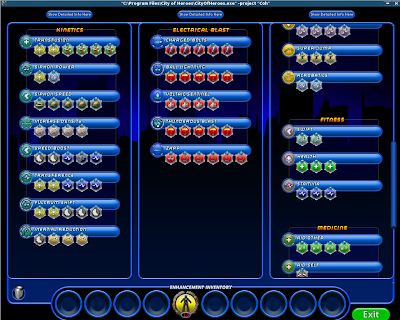
This is my level 50 kin / elec slotting. Back when I IO slotted her, Posi's blast was mega expensive, endurance IO's didn't exist, accurate healing IO's didn't exist, and I slotted out combat jumping just for a measly 3% accuracy boost.
The only reason I haven't changed this build is because it works for me. Yes, I should drop Acrocatics, and move to knockback IO's, and pick up Short Circuit; and probably drop Temporary Invulnerability for Tesla Cage... but I haven't... I could probably also get rid of the medic set and pick up something else, but I enjoy behind able to rez teammates. Nobody expects it from a kin.
Anyways, with this particular build, even run when running siphon power and fulcrum shift, it still feels like it takes forever to drop opponents. From a purely strict damage point of view, when other defender sets were 50%-60% off from their blaster counterparts, electrical was closer to 60%-70% off... on top of an already weak set when compared to other sets...
Basically, the only time I ever feel like I've killed anything is when I pop Thunderous Blast...
Kin / Rad is pretty good from an IO side of things. You can wrack up some good IO buffs on the defense debuff and accurate defense debuff sets, while obliterating an enemies defense.Quote:Rad seems tempting, for the aim + cosmic burst control.
No.Quote:So damage aside, does elec's -endurance measure up against dark's -tohit?
Together, Kin and Elec can sap Giant Monsters, Ebby's, and in some cases, even AV's, completely dry. So yes, the Kin / Elec combination is very powerful.
However, a / Dark can floor an enemies to-hit ratio... with or without the primary power set flooring to-hit debuffs. A / rad can floor an enemies defense ratio with or with the primary power set. A / sonic can wipe out an enemies resistance. An / ice can wipe out an enemies recharge rate.
Elec... on it's own... as a defender set... really can't manage to do it's secondary effect without help from the primary power set. Granted, that's why it combo's well with the Kinetics set because between the two, you can keep Enemies endurance bone dry.
Okay, in all fairness, the rest of the defender ranged sets, Archery, Assault Rifle, Dual Pistols, and Psychic don't really have a consistent secondary effect.
However, Dual Pistols combo's well with Kin because of Fulcrum Shift / Hail of Bullets. Dual Pistols actually combo's well with most of the defender sets due to it's ammo change power. Psychic Blast combo's well with other defender sets because of it's superior range, superior damage to organics, and various mezzes. Assault Rifle also combo's well with several defender sets due to it's variety of effects.
Archery's pretty much the odd-power-set out. Aside from the visual trick arrow combo, Archery just is too weak on the damage, no real mitigation or secondary effects, and is just awful on defenders. *braces for Impact from the Virtue Legolass Fan Club* -
Okay, trying to get the troubleshooting out of a sticky thread so that the Sticky doesn't get clogged up with "what's the most recent information?" and a long line of derailment.
***
Deadly Twilight: If I am understanding your issue correctly, everytime you install the Nvidia Drivers from the Nvidia website :: www.nvidia.com :: and then restart the computer... Windows automatically installs Drivers from either Windows Update or previous versions stored on the hard-drive? -
Quote:Okay, you really need to start another thread for an issue like this: http://boards.cityofheroes.com/showthread.php?t=220325Originally Posted by DeadlyTwilight
i turned windowsupdate off and now it installs the drivers that comes with windows7
-
Quote:turn Windows Update off.Originally Posted by DeadlyTwilight
im not sure if this is the right tread to ask this in.
but i downloaded the lastest drivers for my nvidia9500gt card from nvidia and everytime i uninstall my old drivers and reboot windows7 downloads and installs the same old driver from Windowsupdate. i clicked the option to skip downloading from windowsupdate but it still does it anyway and installs the same driver i uninstalled.
any help here and i would be thankful.
DT -
Quote:yeah. The only Mez affect that can really get through Willpower is Stun / Disorient. It's quite possible on Task Forces like Moonfire's for the Council to wrack up enough disorients to put a willpower out of commission. Rularuu Wisp Overlords, Vanguard Swords, and several of the Arachnos can also rack up enough stun's / disorients to put a Willpower out of commission... but for anybody whose faced these enemies, there's a longer list of debuffs to worry about... like -defense, -resistance, -to-hit, slow, sleep, and that bloody detention field.Originally Posted by BrokenPrey
I don't think it turns off with KB, KU or KD, I know it does turn off with a hold however it dosn't matter your /willpower and if you getting KB,KU, or KD you're doing something wrong.
Outside of Moonfire though, you pretty much have to be drawing some serious aggro, or be running with +3 / +4 levels to draw enough stun / disorient for it to be an issue above and beyond other Critter Debuffs. -
Quote:Rise to the Challenge is a constant toggle. It is both your taunt aura, and one of your sources of regeneration.Originally Posted by Ob1Shinobi
RttC is a toggle, right? But is it a toggle that runs all the time? Based on what I've read it offers regeneration bonuses based on the number of foes around you (with diminishing returns) and that sounds awesome. However, does it do this only after you fire it?
If I leave it toggled do I get the bonus on some type of timed interval?
Rise to the Challenge also carries a to-hit debuff effect. It is because of this debuff effect that unlike your toggle armors; such as mind over body and indomitable will; Rise to the Challenge will be turned off by powers that can cause your avatar to fall asleep; cause your avatar to be held; or cause your avatar to be stunned.
***
In most cases, the first reason you would want to turn a toggle power off is if it conflicts with another power, such as the Dark Armor Set where Death Shroud, Cloak of Darkness, Cloak of Fear, and Oppressive Gloom can have opposite effects: Cloak of Fear will cause minions to run away, Death Shroud is supposed to cause minions to run to you. Cloak of Darkness has a stealth component, that interferes with Death Shrouds ability to hold aggro. Oppressive Gloom has a stun component which causes enemies to wander around aimlessly, but a stunned / feared opponent will simply shamble off, leaving you have to play "chase the minion, oh kitty litter the effect has worn off on the rest of the mob, they are all firing on me at once."
The Willpower set has no such conflicts.
***
The second reason is endurance usage. Looking back to the Dark Armor set again, it's entire endurance consumption with all toggles enabled out-strips both Ice Armor and Stone Armor for amount of endurance used with available toggles that stack. Even when running just the resistance shields and the damage aura, Dark Armor still uses up more endurance than Ice Armor... while Ice Armor gets an endurance recovery power for it's ludicrously high endurance usage.
The Willpower set has no such conflicts. With Quick Recovery, the pool power Stamina, and Epic Pool Power Physical Perfection, you can run every toggle in Willpower, Tough, Weave, and Focused Accuracy, on a Single Origin Enhancement built without ever having to worry about IO boosts.
***
So, what does all this mean?
When you log in. Turn Rise to the Challenge on. Leave it on. -
I personally favor electrical secondary, since it makes for a good sapper build. But, even with the new Vigilance, Elec is still pathetically weak, and the end-drain isn't as obnoxious as you'd like it to be, so there's no real mitigation until you get Tesla Cage. The one big advantage the set carries is the pet sentinel. When you do get mezzed you can still have a pet on the field launching some kind of attack.
Energy's... not so good... for the primary reason that your most powerful buffs / debuffs are pbaoe's (Transfusion / Transference / Fulcrum Shift)... so it's slightly important that your target actually be in the middle of a mob when you activate your powers. A target that's busy flying out into the middle of nowhere makes laying down your powers kind of hard. I've only played with Kin / Energy's before, and on paper, I can't ever see myself making one. The goals of Ranged Energy (minor control and distance mitigation) are just too counter to the goals of Kinetics (keep your teammates close... and your enemies closer).
PSI... well. I've had next to no experience with Defender Psionic Range. On paper I don't see any particular reason why Kin / Psi wouldn't combo well together. Good Damage on Organic Targets, decent mitigation with a stun, sleep, immobilize, a powerful single knockback, and generally higher range.
Dark... I've had experience with a kin / dark on a friends account... and I've got a Cold Dom / Dark. Dark's pretty good with the defender side since you get a good to-hit debuff with each attack. The Dark Pit / Tenebrous Tentacles / Night Fall combo will stun and floor a mob's to-hit, making it easier for you to take personal advantage of Fulcrum Shift, Transference, or Transfusion. You also can get some great IO buffs from the accurate to-hit debuff set(s). -
Quote:The Going Rogue Collectors Edition has not yet been made available to retail outlets yet. The only version of Going Rogue that is available right now is the Going Rogue Pre-purchase from the NCSoft store.Originally Posted by El Bellaco
Hey there, I tried searching for this, but didn't come up with anything.
Is Going Rogue going to be able to purchase via Steam? Maybe even pre-order?
So far it only offers the architect version.
Now, after Going Rogue Collectors Edition is released to manufacturing, it will be available from most retail outlets, and at that point, you will probably be able to buy it through the Steam network.
The big question on a lot of gamers minds though is whether or not Steam for Mac and Steam For Linux will also be carrying Going Rogue. It would be a big feather in NCSoft's cap to have a game that looks as good as CoH Ultra Mode be one of the leading for sale commercial titles... so I suspect that Valve, Paragon Studios, Transgaming, and NCSoft are trying to hammer out some sort of agreement behind closed doors.