je_saist
-
Posts
4197 -
Joined
-
Quote:CoH isn't like anything else. We've been saying for the past several months in the Which card for Ultra Mode thread that the starting point was Geforce 9800 GTX / GTS 250 for Nvidia cards. Sure, any OpenGL 3.0 card can run the Ultra Mode features. You'll probably be able to run Ultra Quality Water, performance Ambient Occlusion, and Medium reflections... but anything beyond that, like shadow maps, the 9600 just isn't fast enough.Originally Posted by sceritz05
 wow... I can't F'ing believe that... I don't lag on /anything/ else graphically.
 -
Favorite Memory: reaching the shadow shard and realizing just how ludicrous it's size and scope was.
-
9600 GT is a bit below Ultra Mode. Ultra Mode is 9800 GTX / GTS 250.
So no, your system really isn't capable of handling Ultra Mode, which is probably why it's lagging. -
Quote:what about Driver Sweeper? http://www.guru3d.com/category/driversweeper/Originally Posted by TheBruteSquad
I came to this thread because post patch it does look like my ATI CCC is able to control AA any longer for the game, and apparantly this is so. Go thread go.

Sadly, I can't update my drivers. Have never been able to. I can't uninstall them using add/remove programs... just gives me an error message. Even in safe mode. -
Quote:You forgot one.Originally Posted by Pedro Schwartz
-
Quote:fat Barney model or Slim Barney from HL2?Originally Posted by Zekiran_Immortal
Must.... resist... making... Barney...
-
We've had a couple threads so far with City of Heroes players having issues with older driver sets. So here's a quick primer on some of the graphics issues / workarounds / information you need to know:
***
Identifying Which graphics driver and card you Have
First: Microsoft Windows Update does not have up to date drivers for your graphics hardware!
***
Second: Your OEM Vendor, the guys who put your hardware together, most likely are not going to have up to date driver for your graphics hardware either!Do not run Windows Update and presume that your computer is actually up to date.
Third: Online Services that promise to tell you whether or not your drivers are up to date... DO NOT WORK.Do not go to your computer vendors site, see that your driver is up to date there, and presume that your driver is actually up to date. Go to your Graphics Vendors site as listed below.
If you do not know what hardware you have in your computer, here are some tools that will help you determine what you have under Microsoft Windows Operating Systems:Don't go to a website and run a scan to see whether or not your drivers are up to date.
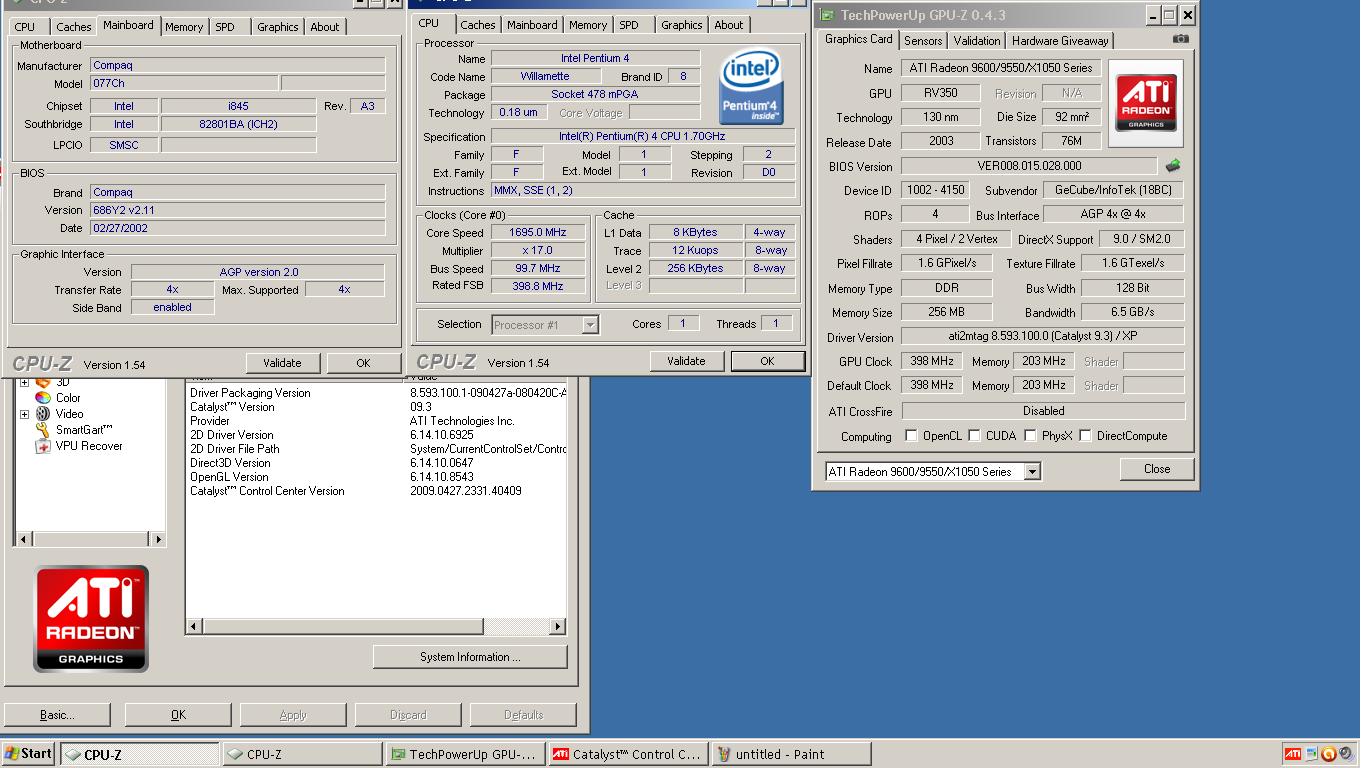
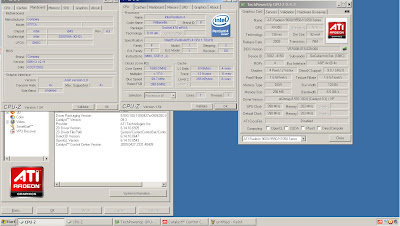
CpuZ: http://cpuid.com/cpuz.phpCpuZ will identify your processor, graphics hardware, motherboard, memory, and system vitals.
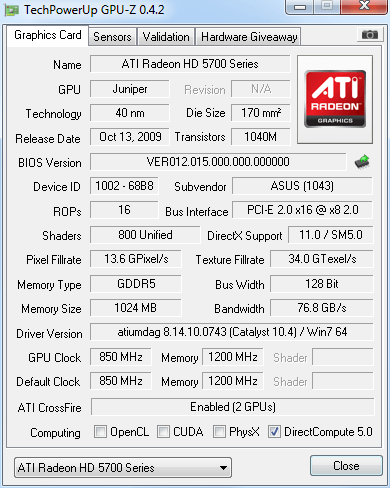
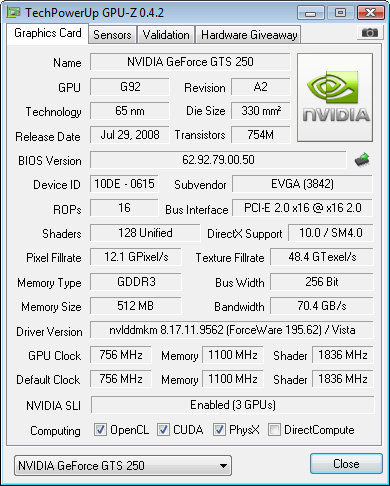
GPU-Z: http://www.techpowerup.com/gpuz/GPU-Z is targeted towards displaying more in-depth information about your graphics card. GPU-Z also contains a camera utility to quickly take a snap-shot of what it reads and upload that snapshot to a free-hosting. If you aren't sure what driver you are using, this is the quickest way for us to identify what you have.
ATi Sample:
Nvidia Sample:
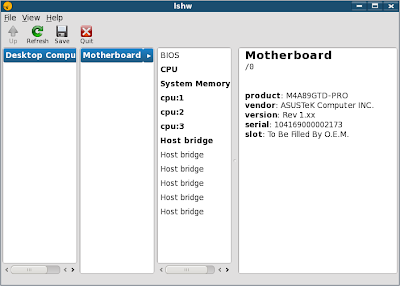
If you are running a Linux Operating system and you don't know what graphics card you are using... well. It's not as easy. The package lshw will tell us everything about your hardware... but you have to run it as root and it only outputs in a long format text... and tells us a lot of stuff we didn't really need to know.
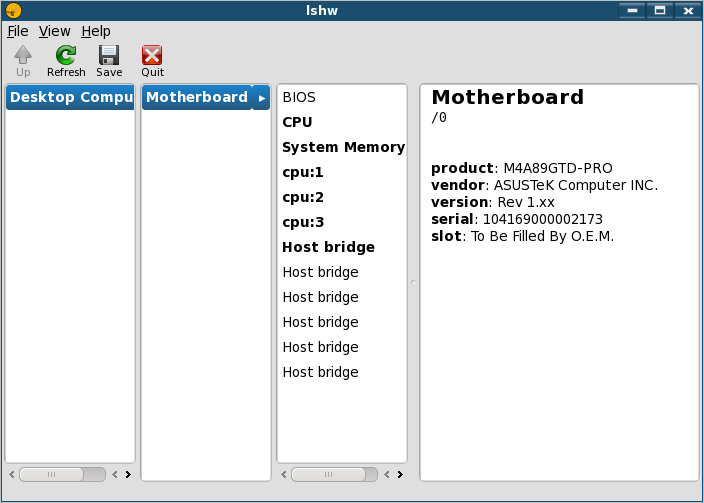
There is an lshw-gtk package... but it... doesn't really display everything lshw does in text:
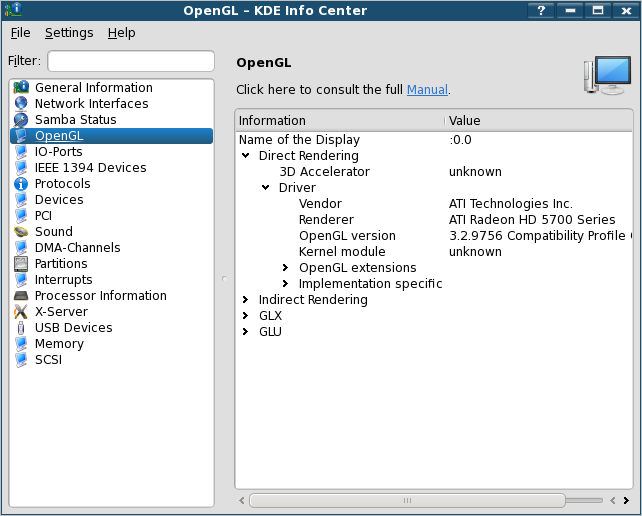
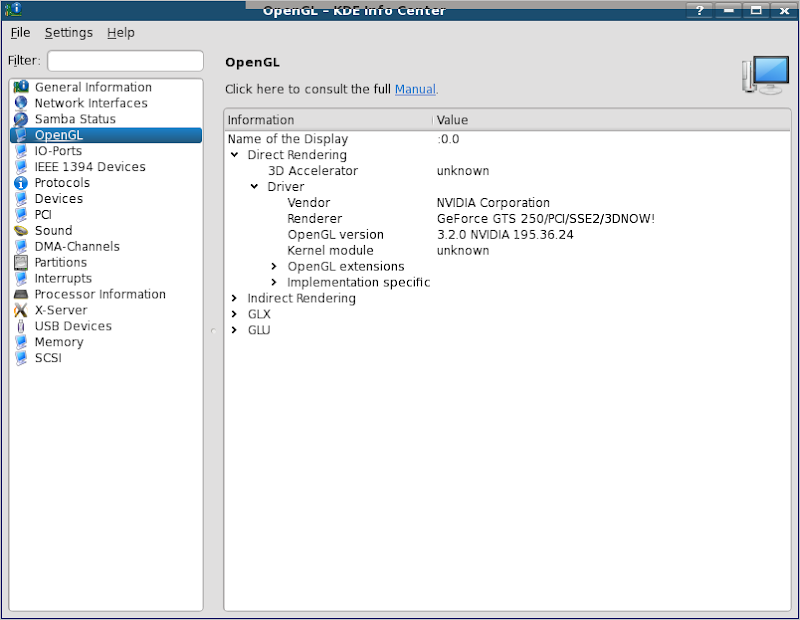
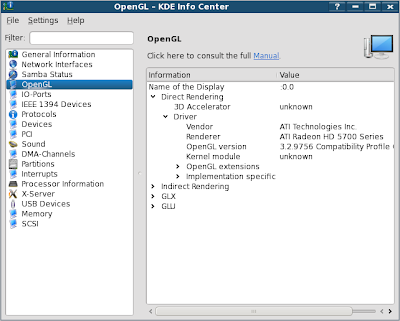
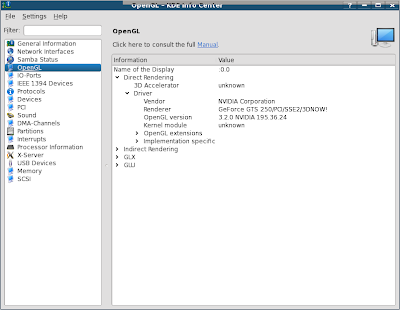
If you are running a KDE based distribution, the OpenGL segment of Kinfocenter will often display pertinent information:
ATi Sample:
Nvidia Sample:
Supported Graphics cards
As of right now there are 3 main graphics card vendors supported by the CoH Game:
***
- ATi
- Nvidia
- Intel
If your graphics card did not come from one of these vendors, chances are it will not run the City of Heroes game.
Obtaining Up to date Drivers
If you are running AMD RadeonHD graphics cards with Windows NT5 or NT6 (that's Xp, Vista, Win7), you can get updated AMD Drivers from: http://game.amd.com/us-en/drivers_catalyst.aspx
***
If you are running ATi Radeon 8500 - x1900 series graphics cards with Windows NT5 or NT6, you can get Legacy AMD Drivers from: http://support.amd.com/us/gpudownload/Pages/index.aspx
If you are running a RadeonHD mobile 2000 series or newer graphics card, and have Windows NT6 (Vista or 7) AMD Catalyst is available in a mobile edition:- 32Bit: http://support.amd.com/us/gpudownloa...b_win7-32.aspx
- 64bit: http://support.amd.com/us/gpudownloa...b_win7-64.aspx
If you are running a Linux with Cedega for CoH compatibilty, you can get updated AMD Fglrx drivers from: http://support.amd.com/us/gpudownload/Pages/index.aspx
If your operating system supports SMXI / SGFXI : http://www.mepis.org/docs/en/index.php/Smxi :: updated drivers can be downloaded and installed that way as well.
If you are running any Nvidia card with any version of Windows or Linux, you can find drivers through the driver matrix here: http://www.nvidia.com/Download/index5.aspx?lang=en-us
If your operating system supports SMXI / SGFXI : http://www.mepis.org/docs/en/index.php/Smxi :: updated Nvidia-GLX drivers can be downloaded and installed that way as well.
If your are running an Intel Graphics Accelerator with any Version of Windows, you can find Intel drivers through this page: http://www.intel.com/support/graphics/detect.htm or this page: http://www.intel.com/support/graphics/sb/CS-022355.htm
If you are running an Intel Graphics Accelerator with any version of Linux... well... actually. you need to go read this: http://www.phoronix.com/scan.php?pag...item&px=ODIwMQ Trust me on this, if you have an Intel GA and you want to play CoH... play it on Windows. And yes. I am sober. And no, I have not been in the catnip.
Known Issues
Intel
There is a known issue with Intel Graphics Chips at this time. The developers have not gotten around to re-kludging the game engine to work with / against Intel chips. Yes, it is known that the graphics are stuck on the lowest possible shader settings.
The Developer GPU has indicated that patches to Intel chips are due at a future date: http://boards.cityofheroes.com/showt...49#post2819749
Quote:From Luminous Martini: Here's a fix to shove the game into it's lowest shader mode.Some users with integrated intel chipsets currently experience a degrade in the shader quality settings allowed. This should be resolved in a future patch.
***Quote:1. right click on CoH shortcut
2. click on properties
3.click on shortcut tab at top
4. go to target window "C:\Program Files\City of Heroes\CohUpdater.exe"
5. after the last " press space once
6. enter the following code exactly -useTexEnvCombine
7. click on apply then ok
8. right click on CoH then click run as admin.
ATi
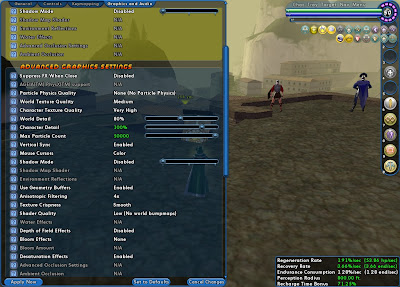
As of right now on the 10.4 drivers against RadeonHD 5770, Ambient Occlusion and Full Screen Anti-Aliasing are not playing together well.
Also, if you are using a DirectX 9 Class ATi Radeon Card, these cards were retired in March 2009. The last driver to support these cards under Windows Xp was the Catalyst 9-3 release. The DirectX 9 class of ATi Radeon Cards covers all Radeon 9500-9800 series cards, all Radeon x300-x800 series cards, and all x1x00 series cards.
These cards are not officially supported on Windows 7. There is a Windows Vista build of the 9-3 driver that can install on Windows 7, but this driver is known to have conflicts with the NT6 DirectX 11 platform updates. So basically, it will crash and lock up... and if you update Vista to be in sync with Windows 7 (by running Windows update), you'll probably also run into crashes that way too.
Basically then, if you have one of the Radeon DX9 cards and you are running Vista, don't keep your computer software up to date.
Now, AMD does repackage the 9-3 driver in a quarterly update. The last update, the 10.2 Legacy Release, HAS MAJOR ISSUES WITH CITY OF HEROES.
Just stick to the 9-3 release and you should be fine atop WinXp / NT6 DX10.
***
GPU Monitoring
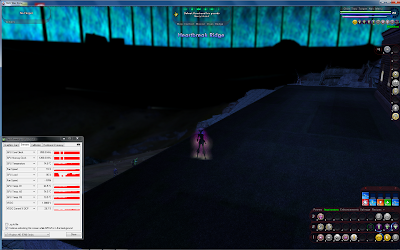
One of the problems some players encounter is a crashing or lock-up of their graphics cards that is related to heat or power issues. To aid in troubleshooting, you can use GPUZ to monitor the fan speed and temperature of both ATi and Nvidia cards, and the voltage usage on certain ATi cards.
You Will Need to run City of Heroes in Windowed mode to be able to read GPUZ in real time.
ATi GPU sample:
***
Filing Bug Reports
ATI
You can file bug reports for AMD cards on Linux here: http://ati.cchtml.com/. And Yes... ATi does get them. Thanks Bridgman.
***
Bug reports for AMD cards on Windows can be filed here: http://www.amd.com/us/CatalystCrewSurvey
You can also file a post on the AMD community forums here: http://forums.amd.com/game/
You can email AMD using this form here: http://emailcustomercare.amd.com/
ATi engineers also browse through the forums at places like Phoronix and Rage3D.
Nvidia
Now, Nvidia's a tougher nut to crack. The only way that I'm aware of to directly contact the company about driver support is through here: http://www.nvidia.com/object/driverq...assurance.html
***
There's also a Survey page that can be found through Google.
And the Nzone forums.
Intel
If you've got an Intel Graphics Chip, you can drop by Intel's contact portal for Windows.
****
On Linux, you can file bugs directly at Freedesktop.org... although in all Fairness the Freedesktop bug reporting site is a bit obtuse... and you might need to read the manual.
Alternative Approach
Another approach, and one advocated by Terry Makoden and John Bridgman of AMD is to bug your graphics card vendor. Let them know you buy a card for a particular feature. An OEM like Sapphire, Asus, XFX, Acer, Tul / PowerColor, or the like has a greater amount of pull with driver developers. Michael Larabel (of Phoronix) wrote about this method in response to getting better Linux drivers back in 2007: http://www.michaellarabel.com/index.php?k=blog&i=121
-
Quote:8.573 should be Catalyst 9.1 : http://developer.amd.com/drivers/ccc/Pages/default.aspxOriginally Posted by CaptA
I am having the same exact issue and my drivers are updated according to the computer.
ATI Radeon HD 3200 graphics driver 8.573.0.0
That's also a year old. Update your drivers please.
Go to www.amd.com for your drivers. -
what operating system are you using and what graphics card do you have?
-
Quote:http://driver.wareseeker.com/Other/n...zip/1eada7b775Originally Posted by kendo
if I am finding it correctly in the device manager area of the control panel, it would be: 6.14.10.9794
Nvidia 97.94.
This driver is almost a year old. Update your drivers please. -
Quote:once in "safe" mode you should be able to set your graphics options. Apply, and the system "should" ask you to restart.Originally Posted by Nero_1984
Doh easy enough, right can log into safe mode and everything seems to be ok so......is ultra mode booted up in safe mode as well or doesnt this feture work in safe mode?
next step?
Also, Ultra Mode? On Ion? Not happening. I'm not even sure Ultra-Quality water is an option on that platform. -
Quote:I wanted to say this... buuut...Originally Posted by Tyrrano
Might it not be better to spend a bit on a value-priced video card and completely disable the on-board graphics? Granted, you're not going to boost up into Ultra-mode territory on the cheap, but the end result should be as good or better than pre-i17? Maybe?
we have lots of users on notebooks and Emachine-type systems where there is no expansion slot available, and no other options. For these users, getting a new graphics card may not be an option. -
Quote:I'm trying to track down where I originally red the issue was tracked back to Intel. I'm little concerned that the statement It's a bug with the way Intel is handling OpenGL was in the (now gone) CB forums. Tex has been spotted around the forums and may be able to shed some light on what the precise deal is.Originally Posted by Xandor
Check this thread. If what is said there is true, then it's Intel that needs to fix the drivers.
Would recommend getting a different video card if possible. -
Quote:Aero is enabled.Originally Posted by Bill Z Bubba
je_saist, yay or nay on having an aero them enabled for you?
Kyasubaru, same question. -
Quote:Alt tab working fine here: Windows 7 64bit w/ RadeonHD 5770 :: Windows Vista 32bit w/ Mobile RadeonHD 2600Originally Posted by Kyasubaru
So, little problem. I updated from 10.2 and now I can't alt-tab. Weird thing is, I can see my taskbar and move through the start menu fine, but I can't actually see other programs.
No clue what the deal is. -
can you at least launch the game in Safe mode?
Also, what operating system are you running? -
Quote:Intel Integrated Graphics. Launch the game in safe mode. Then go bug Intel for a driver update: http://boards.cityofheroes.com/showthread.php?t=219421Originally Posted by Nexis_Output
When I start the game it keeps crashing and I get this message:
"City of Heroes has encountered a problem and needs to close. The crash occurred in ig4dev32.dll"
Any suggestions? -
Quote:Because those graphic settings really don't exist anymore.Originally Posted by Ian the Inferno
But I wanna know why it just down the graphic settings I used to have.
Building Ultra-Mode also allowed the developers to clean up certain messy hacks in the older engine and make appropriate OpenGL API calls. E.G. Water Effects are now fixed on ATi cards.
Intel cards have also been one of the biggest kludges in the engine. Keep in mind, Intel doesn't actually make a GPU. They make Graphics Accelerators. In almost all of the shipping Intel graphics chips the central processor is used to accelerate graphics functions that are/were handled on the GPU by ATi, Nvidia, XGI (and their parent SiS / Trident), S3-Via, Matrox, and even going back far enough, 3DFX.
Unfortunately, if you are using an Intel card, you are pretty much stuck on either waiting for the developers to re-kludge the engines, or for somebody on the Intel Windows Driver Development side to fix the Intel drivers.
For this issue, you are going to be better off going and talking to Intel. Not the CoH devs. -
As I logged into Issue 17... this speech kept running through my head: http://www.youtube.com/watch?v=qpeVFP1M9PQ
-
Quote:I think this was traced back to a driver bug with Intel. You'd need to bug their engineers about this problem as well.Originally Posted by Ian the Inferno
Yes
-
lemme guess. You are using Intel Integrated Graphics?>
-
There's nothing up on the main website yet, but Catalyst 10.4 stable downloads were uploaded today:
http://game.amd.com/us-en/drivers_catalyst.aspx
http://support.amd.com/us/gpudownloa...2&lang=English -
For those players using Cedega:
- no Ultra-Mode features are currently exposed in Cedega's shipping 7.3.3 game engine.
- Ultra Mode Features are exposed to ATi cards under the in-testing Maudite Engines.
- Currently Issue 17 crashes on load when using ATi's 10.2 or 10.3 driver Fglrx drivers. Issue 17 Ultra Mode features are exposed, but horribly broken, under Fglrx 10.1
- Ultra Mode Features are NOT exposed to Nvidia Cards on any testing engine.
- Against the Maudite Testing Engines, CoH will report that OpenGL 3.x cards (Geforce 8xxxx series onwards) are Ultra Mode compatible and will offer to set Ultra Mode settings. These settings will not apply.
-
Able to login into Victory Server now.
-
Quote:hmmm... I wouldn't say the laptop was crap... SiS made some pretty good chipsets back in their day. Their Achilles heel is just the inability to do anything else but chipsets.Originally Posted by NictusJones
yes it is a laptop i refure to laptops as computers as well sorry for any confustion this laptop is a very crap one at that witch i have just found out
 it shut it self down i am defently going to the shops tomorrow and gettin myself a new Computer not a laptop
Anyways: if you are buying a new system, there's plenty of threads around about what is baseline for Ultra Mode. Since I'm not entirely familiar with the pricings at your point of the world, I'm not sure I could accurately tell you what is the best buy for whatever money you have to spend.